Picking from the best email marketing tools for small business can feel like comparing phone contracts: every vendor promises a free plan, easy automation and great deliverability, and the real costs only show up once your list grows. This guide cuts through that. You get a side-by-side comparison of six tools that suit small teams, what each one is genuinely good at, where the free plans stop, and a simple 5-step way to choose without paying for features you will never use.
📌 Short answer
For most small businesses: Kit if you grow through a newsletter or sell expertise, Systeme.io if you want email, funnels and checkout in one free account, and MailerLite or Brevo if you only need simple, low-cost campaigns.
✔ Key takeaways
⏱ About 12 min read · the short version is right here
- Start with what you sell and how you sell it, not with the longest feature list.
- Free plans differ a lot: Kit allows up to 10,000 subscribers, Systeme.io 2,000 contacts, MailerLite and Mailchimp only 250.
- Most tools price by contacts, so a clean list keeps your bill down as you grow.
- Every tool here can send authenticated email; your own SPF, DKIM and DMARC setup matters more than the brand.
- EU and UK businesses should check where data is stored, sign the vendor’s DPA and budget for VAT on top of list prices.
📋 In this guide
- The best email marketing tools for small business at a glance
- What a small business actually needs from an email tool
- Kit: best for creators, coaches and newsletter-led businesses
- Systeme.io: best free all-in-one for selling online
- MailerLite: best simple editor on a small budget
- Brevo: best for email plus SMS and pay-per-send pricing
- Mailchimp: the familiar name, with caveats
- GoHighLevel: best for agencies and local service businesses
- How to choose in 5 steps
- GDPR, VAT and deliverability checklist
- Mistakes that cost small businesses money
- My take
- FAQ
The best email marketing tools for small business at a glance
Here is the short list. All six are solid; they simply suit different kinds of small business.
| Tool | Best for | Free plan | Paid plans from (USD/month) | Standout |
|---|---|---|---|---|
| Kit | Creators, coaches, newsletters | Up to 10,000 subscribers | $39 (Creator, 1,000 subs) | Visual automations, creator tools, paid newsletters |
| Systeme.io | Selling courses, products, services online | 2,000 contacts | $17 (Startup, 5,000 contacts) | Email + funnels + checkout + courses in one |
| MailerLite | Simple newsletters on a budget | 250 subscribers, 2,500 emails | $12 (Comfort) | Clean editor, landing pages, EU-based |
| Brevo | Email plus SMS/WhatsApp | 300 emails per day | $9 (Starter) | Priced by emails sent, built-in CRM, EU-based |
| Mailchimp | Teams that want a known brand | 250 contacts | $13 (Essentials) | Large integration catalog |
| GoHighLevel | Agencies and local service firms | 14-day trial | $97 (Starter) | CRM, SMS, booking and email for clients |
If you work one-to-one with clients, my roundup of the best email marketing tools for coaches goes deeper on booking and course features. This guide stays broader and focuses on what a typical small business needs.
What a small business actually needs from an email tool
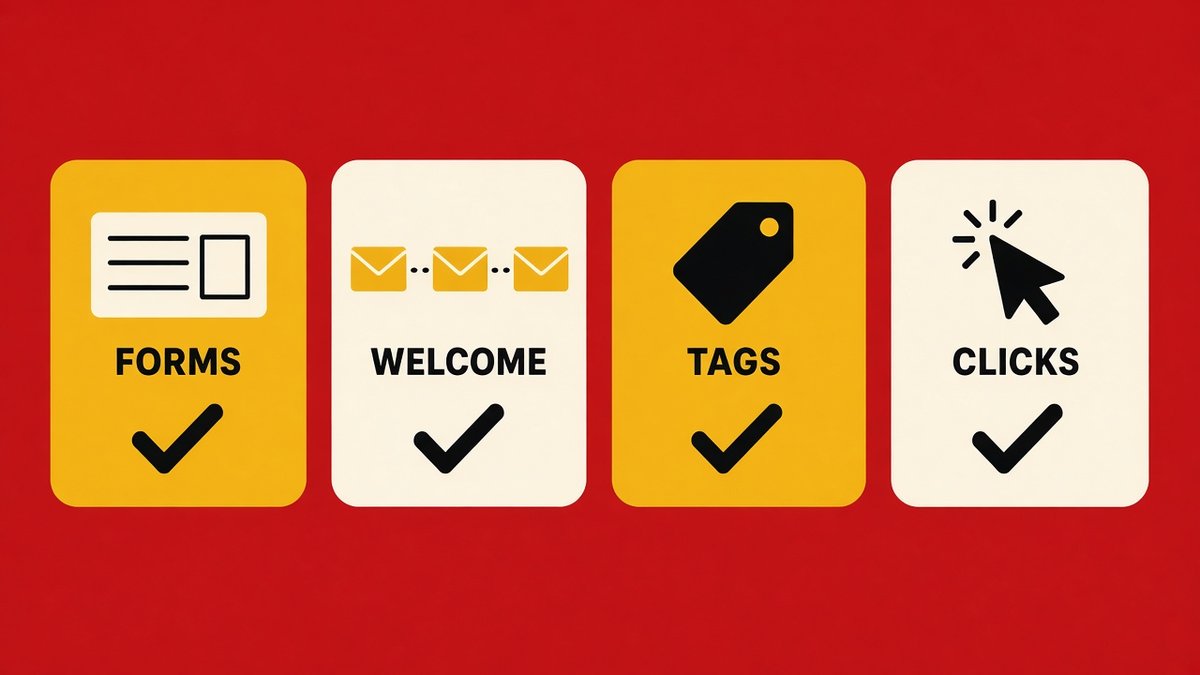
Most small businesses use email for the same four jobs: welcoming new subscribers, sending a regular newsletter or offer, following up after a purchase, and occasionally reminding people about a sale or event. That means the features that matter are fewer than the pricing pages suggest.
Before you compare brands, write down three numbers: how many contacts you have now, how many you expect in 12 months, and how often you plan to send. Those three numbers decide which free plan fits and when you will start paying.
| Must-have | Why it matters | Nice to have later |
|---|---|---|
| Signup forms and a landing page | You need a way to grow the list from day one | Pop-ups, quizzes, A/B tested forms |
| Automated welcome sequence | New subscribers are most interested in week one | Branching visual automations |
| Tags or segments | Send the right offer to the right people | Lead scoring, behaviour-based tags |
| Reliable deliverability and authentication | Emails that land in spam earn nothing | Dedicated IP (only at very high volume) |
| Simple reporting on clicks and sales | Opens are unreliable since Apple Mail Privacy Protection | Revenue attribution, cohort reports |
The welcome sequence is where most of the early money comes from, so check that the tool you pick lets you build one on the plan you can afford. My welcome email sequence template shows what to put in those first emails.
Kit: best for creators, coaches and newsletter-led businesses
Kit (formerly ConvertKit) is built for people who sell what they know: coaches, consultants, course creators, writers and small brands that grow through content. Its free plan is the most generous here, covering up to 10,000 subscribers with unlimited broadcasts, signup forms and landing pages. Automated sequences and visual automations need a paid plan.
What I like most is how simple tagging and automation are. You can tag subscribers by the lead magnet they downloaded, move them into a sequence and trigger a sales email when they click, all in a visual builder that a non-technical owner can manage. Kit also lets you sell digital products and paid newsletter subscriptions without another tool.
The trade-off is price at scale: Creator starts at $39 a month for 1,000 subscribers and rises with your list, and Pro is $79. Paying yearly saves about 17%. Design-heavy retail newsletters may find the templates plain. You can start with Kit’s free plan and only upgrade once automations start paying for themselves; my full Kit review and Kit pricing breakdown cover the plan details.
💡 Black Friday note (checked 24 Nov 2026)
Kit’s pricing page currently shows Creator at $20 a month for the first 3 months, then $39, with the offer ending on 1 December. If you already know you need automations, the Kit Black Friday offer is a cheap way to test the paid plan. If you do not, the free plan is still the better start.
Systeme.io: best free all-in-one for selling online
Systeme.io is a French all-in-one platform that combines email marketing, sales funnels, checkout pages, online courses and an affiliate program. For a small business that sells online, it can replace three or four separate subscriptions.
The free plan includes 2,000 contacts, 3 sales funnels and 1 course, with unlimited emails. Paid plans are easy to read: Startup at $17 a month for 5,000 contacts, Webinar at $47 for 10,000 contacts and Unlimited at $97. Yearly billing gives roughly two months free.
Its email editor is more basic than Kit or MailerLite, and the newsletter templates are simple. But if your goal is to capture a lead, nurture them and take payment, having the whole path in one account is a real advantage. I compare the two directly in Kit vs Systeme.io, and my Systeme.io review walks through the funnel builder.
Try Systeme.io free
Email, funnels, checkout and courses in one account. Free up to 2,000 contacts, no card needed.
Create a free Systeme.io account →
Affiliate link. I may earn a commission at no extra cost to you.
MailerLite: best simple editor on a small budget
MailerLite is a Lithuanian company and one of the easiest tools to learn. Its drag-and-drop editor, landing pages and website builder are polished, and automations cover the common small-business flows.
The catch is the free plan, which now stops at 250 subscribers and 2,500 emails a month, and going over 250 active subscribers pauses sending. Paid plans start at $12 a month on Comfort and $25 on Power, rising with list size. For a café, salon or local shop that sends a monthly newsletter, it is very good value. If you are deciding between it and Kit, read my Kit vs MailerLite comparison.
Brevo: best for email plus SMS and pay-per-send pricing
Brevo (formerly Sendinblue) is based in France and prices by the number of emails you send rather than the number of contacts you store. That suits businesses with a big contact list but infrequent sends, such as seasonal shops or event organisers.
The free plan allows 300 emails a day. Starter is $9 a month and Standard, which adds more automation and A/B testing, is $18 a month at the entry volume. Brevo also includes SMS, WhatsApp campaigns and a basic sales CRM. The interface has grown busy as features were added, so expect a short learning curve.
Mailchimp: the familiar name, with caveats
Mailchimp is still the name most owners know, and it has the biggest catalog of integrations. For a small business already running Shopify, WooCommerce or Square, that can be handy.
Its free plan covers 250 contacts, and paid plans start at $13 a month on Essentials and $20 on Standard, with prices climbing quickly as contacts grow. Many small businesses start on Mailchimp because of the brand and later move to a cheaper tool once the bill passes the value they get. It is fine, but rarely the best value on this list.
GoHighLevel: best for agencies and local service businesses
GoHighLevel is not a pure email tool. It is a CRM and marketing platform with email, SMS, booking calendars, pipelines, reviews and funnels, aimed at agencies and service businesses such as clinics, gyms, contractors and consultants.
It starts at $97 a month on the Starter plan with a 14-day trial, plus usage fees for email and SMS. That is overkill if you only send a newsletter, but if missed calls and lost leads are your real problem, one system for every follow-up can pay for itself. You can take the GoHighLevel trial to see whether the CRM side fits how you work.
How to choose in 5 steps
Most owners pick a tool in an afternoon and regret it a year later. These five steps take about an hour and avoid the most common mistakes.
Match the tool to your business model
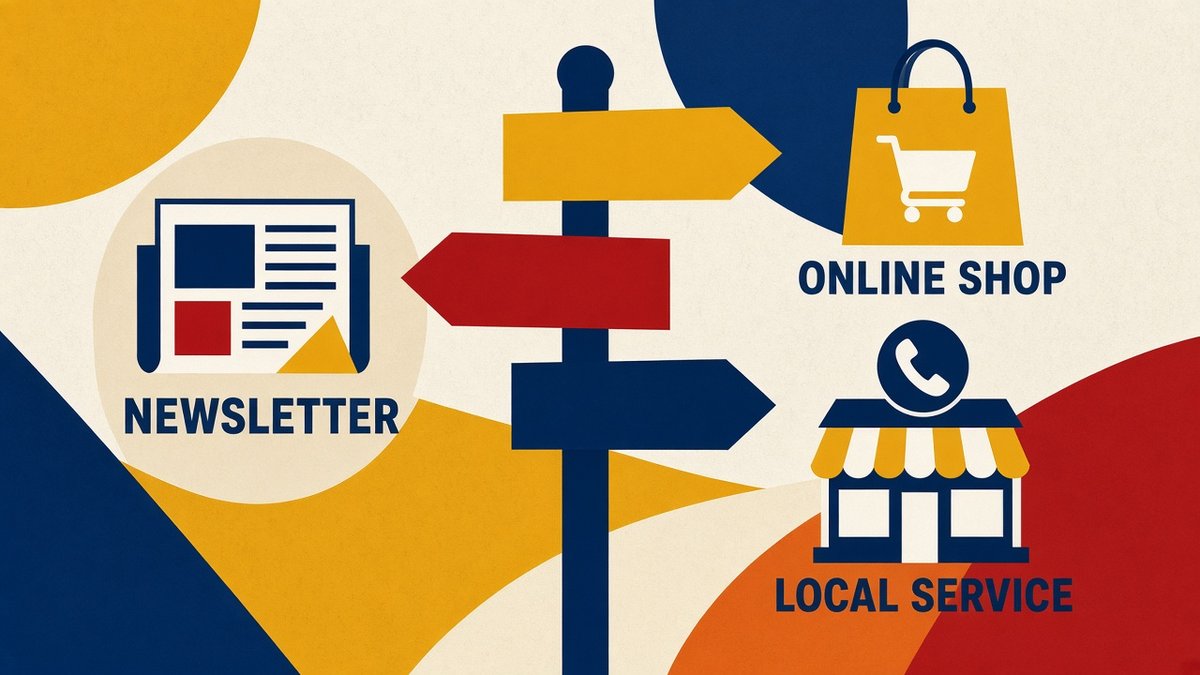
Newsletter or expertise business: Kit. Online sales with funnels and checkout: Systeme.io. Simple local newsletter: MailerLite or Brevo. Service business that lives on follow-up calls and SMS: GoHighLevel.
Price your list at 12 months, not today
Check what each tool costs at your expected list size next year. A free plan that ends at 250 contacts can become the most expensive option once you grow.
Build your welcome sequence on the trial
Set up a form, a 3-email welcome sequence and one tag during the free plan or trial. If that feels hard, the tool will feel harder in six months.
Check sending setup and support
Make sure you can authenticate your own domain (SPF, DKIM, DMARC) and that support is reachable in your time zone.
Plan your exit
Confirm you can export contacts, tags and consent records as a CSV. Switching later should be an inconvenience, not a crisis.
⚠️ Do not judge by open rates
Apple Mail Privacy Protection can register opens that never happened, so a tool that reports higher open rates is not necessarily delivering better. Compare clicks, replies and sales instead.
GDPR, VAT and deliverability checklist
If you sell to people in the EU or UK, your email tool is a data processor under GDPR, and you remain responsible for how subscriber data is collected and used. Brevo, Systeme.io and MailerLite are EU-based companies; Kit, Mailchimp and GoHighLevel are US-based and rely on standard contractual clauses or the EU-US Data Privacy Framework for transfers.
| Check | What to do | Applies to |
|---|---|---|
| Consent | Use clear opt-in wording, no pre-ticked boxes; double opt-in is safest in Germany and Austria | All tools |
| Data processing agreement | Accept the vendor DPA in your account settings and keep a copy | All tools |
| Data location | Note where data is stored and list the vendor in your privacy policy | US-based tools especially |
| VAT | Expect VAT or sales tax on top of list prices; add a VAT number for B2B reverse charge in the EU | All paid plans |
| Authentication | Set up SPF, DKIM and DMARC on your own domain before bulk sending | All tools |
| Unsubscribe | Keep one-click unsubscribe in every marketing email (Gmail and Yahoo require it for bulk senders) | All tools |
If a list has gone quiet, clean it before a big send; my guide to running a re-engagement email campaign shows how to do it without hurting deliverability.
Mistakes that cost small businesses money
These are the mistakes I see most often when small businesses choose or run an email tool:
- Paying for an all-in-one you do not use. If you only send a monthly newsletter, a $97 platform is wasted money.
- Keeping every contact forever. Silent subscribers still count toward contact-based pricing.
- Buying or importing lists. It breaks most tools’ terms, harms deliverability and is unlawful under GDPR without consent.
- Skipping the welcome sequence. It is the highest-earning automation for most small businesses.
- Choosing on Black Friday price alone. A discount for three months matters far less than the right fit for three years.
Your landing page matters as much as your email tool. If you need a separate page builder, see my comparison of the best landing page builders, and browse more side-by-side guides in the Reviews & Tools section.
My take
There is no single winner among the best email marketing tools for small business, but there is usually an obvious fit. If you build an audience with content and sell your expertise, choose Kit and use its free plan until automations earn their keep. If you sell products, courses or services online and want everything in one place, Systeme.io’s free plan is hard to beat on value. If you just need a tidy newsletter for local customers, MailerLite or Brevo will do the job for very little.
Whichever you pick, set up your domain authentication, build a short welcome sequence in week one and keep your list clean. Those three habits do more for your results than the logo on your email tool. When you are ready to go deeper on Kit, open a free Kit account and follow the setup steps in my review.
📝 About this guide: Written for small businesses, solo founders, coaches and local service companies in the US, UK and Europe. Prices and free-plan limits were checked on each vendor’s official pricing page on 24 November 2026 and are shown in US dollars before VAT or sales tax. Vendors change plans often, so confirm the current price on their site before you buy. I update this guide when a plan changes.
Frequently Asked Questions
What is the best email marketing tool for a small business?
It depends on how you sell. Kit suits newsletter-led and expertise businesses, Systeme.io suits online sales with funnels and checkout, and MailerLite or Brevo suit simple, low-cost newsletters.
Which email marketing tool has the best free plan?
Kit has the largest free plan by subscriber count, up to 10,000 subscribers, though automated sequences need a paid plan. Systeme.io’s free plan includes automations and funnels for up to 2,000 contacts.
Are there free email marketing tools for small business?
Yes. Kit, Systeme.io, MailerLite, Brevo and Mailchimp all have free plans, but the limits vary from 250 contacts on MailerLite and Mailchimp to 10,000 subscribers on Kit.
How much does email marketing software cost for a small business?
Most small businesses pay between $0 and $50 a month. Entry paid plans in this guide start at $9 (Brevo), $12 (MailerLite), $13 (Mailchimp), $17 (Systeme.io) and $39 (Kit), before VAT or sales tax.
Is Mailchimp still good for small businesses?
It works well and integrates with many apps, but its free plan is limited to 250 contacts and paid plans get expensive as your list grows, so many small businesses find better value elsewhere.
Do I need GDPR consent to email customers in the EU?
Generally yes for marketing emails: use clear opt-in, record consent, offer an easy unsubscribe and sign your email provider’s data processing agreement. Some existing-customer exceptions exist under national rules, so check your country’s guidance.
Affiliate disclosure: some links in this post are affiliate links, so I may earn a commission at no extra cost to you. I only recommend tools I’d use myself.