Finding the best CRM for coaches is less about fancy features and more about never losing track of a person. Every inquiry, discovery call, signed package and renewal date needs a home, and a spreadsheet stops working the day you have 30 people in different stages. This guide covers what coaches really need, then compares two all-in-one options I recommend, GoHighLevel and Systeme.io, with real prices checked on 6 November 2026, honest drawbacks and who each one suits.
✔ Key takeaways
⏱ About 10 min read · the short version is right here
- A coach’s CRM must track the whole journey: inquiry, discovery call, proposal, onboarding, sessions and renewal.
- Systeme.io is the low-cost starting point: a free plan with 2,000 contacts, tag-based contact management, email, funnels, courses and payments.
- GoHighLevel is the heavier option: real pipelines, calendars, two-way SMS and email, invoicing and a mobile app, from $97 a month plus usage charges.
- Whatever you pick, store only the client data you need and get clear consent, especially for EU and UK clients.
🔍 Checked on 6 November 2026: prices from gohighlevel.com/pricing and systeme.io/pricing, in US dollars before tax. Vendors change prices, so confirm on their pages.
Best to start free
Systeme.io
Solo coaches and new coaches who want contacts, email, a booking calendar, payments and a course area without a monthly bill.
Best full CRM
GoHighLevel
Coaches who want visual pipelines, texting, calendars, invoices and automations in one system and are happy to learn it.
📋 In this guide
- What coaches really need from a CRM
- The coaching client journey, stage by stage
- GoHighLevel for coaches
- Systeme.io for coaches
- GoHighLevel vs Systeme.io: side-by-side
- Other CRMs coaches use (not tested here)
- How to choose and set it up in a weekend
- Client data, consent and confidentiality
- Verdict: the best CRM for coaches
- FAQ
What coaches really need from a CRM
Generic sales CRMs are built around deals and companies. Coaching is built around relationships that last months or years, with sessions, notes and renewals. Before comparing tools, check that a CRM can do these jobs:
- ☑ Client pipeline: see every lead and client by stage at a glance
- ☑ Discovery-call booking: a calendar link with automatic confirmations and reminders
- ☑ Packages and payments: take a deposit, a full payment or instalments
- ☑ Session notes: a place for notes tied to each person, not scattered across documents
- ☑ Reminders and follow-ups: emails or texts that go out without you remembering
- ☑ Renewals: a flag or automation that fires before a package ends
- ☑ Consent: sign-up forms with a clear opt-in and a one-click unsubscribe (GDPR)
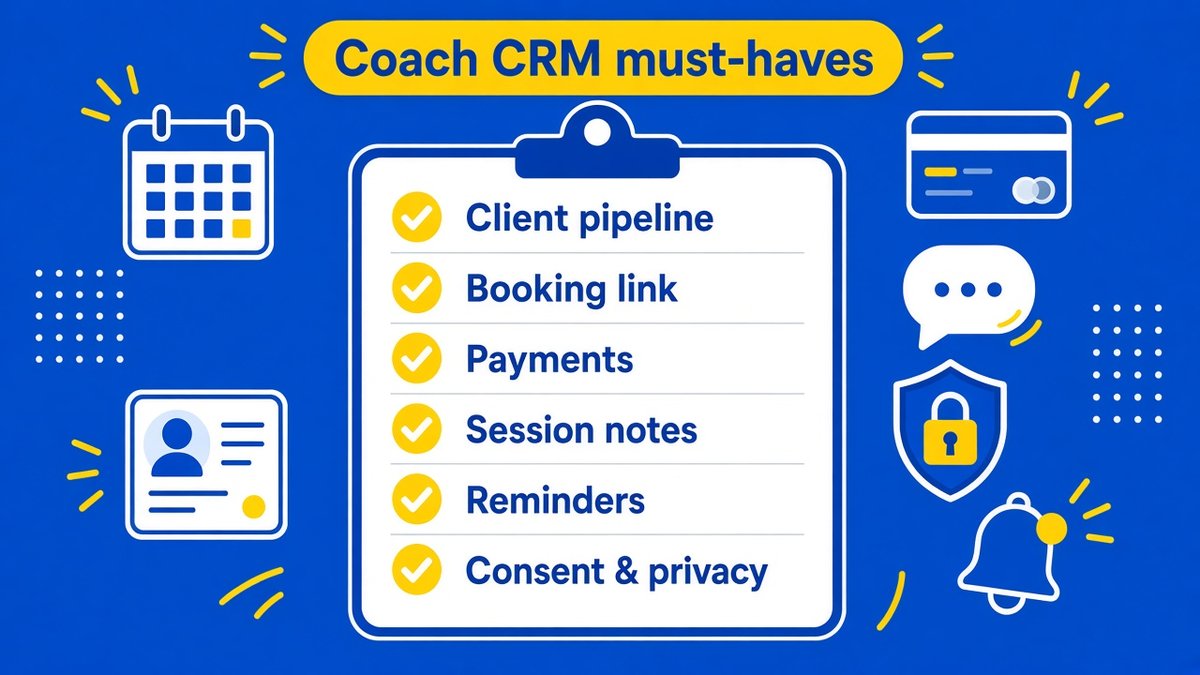
Illustrative checklist of what a coaching CRM should cover; not a ranking of any tool.
💡 The 10-minute test
Write down how your last five clients found you, booked, paid and renewed. Every step you did by hand is a feature to look for.
The coaching client journey, stage by stage
Most coaching businesses follow the same path. Mapping it to a CRM makes the setup obvious, because each stage becomes a column or a tag.
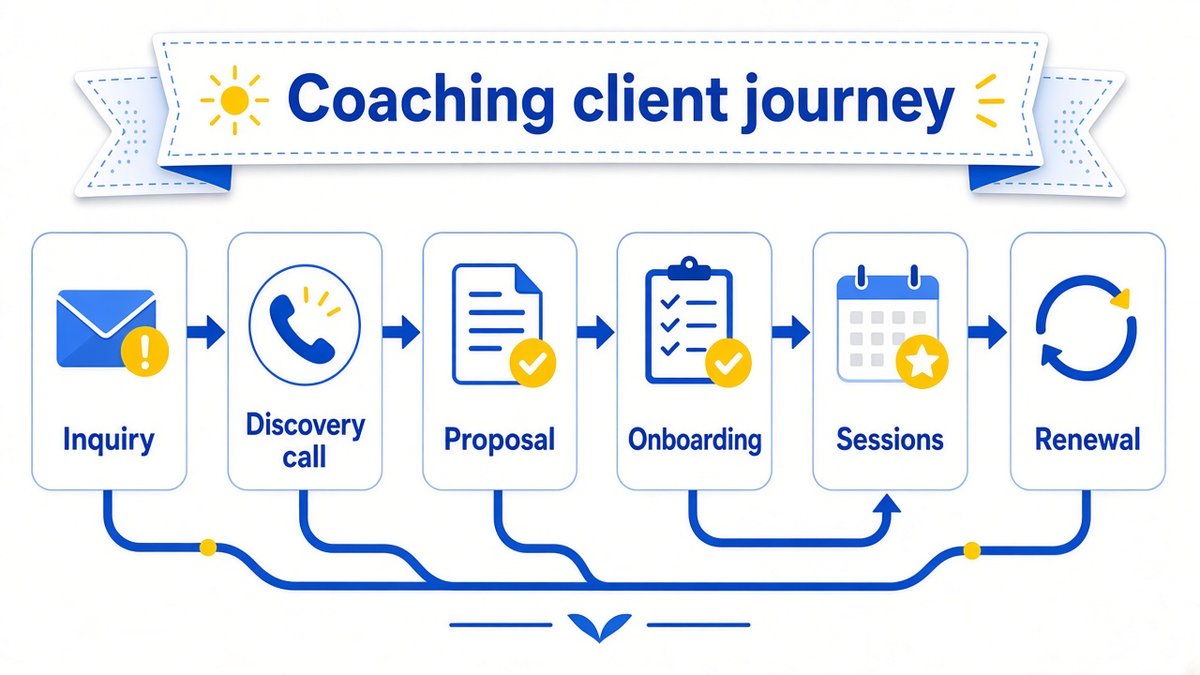
Illustrative client journey for a coach: inquiry, discovery call, proposal, onboarding, sessions and renewal.
| Stage | What the CRM should do | Typical automation |
|---|---|---|
| 1. Inquiry | Capture the lead from a form or DM and tag the source | Instant reply with a booking link |
| 2. Discovery call | Hold a booking calendar and show the call in the pipeline | Confirmation plus 24-hour and 1-hour reminders |
| 3. Proposal | Store the package offer and follow-up date | Nudge email after 2 days if no reply |
| 4. Onboarding | Take payment, send intake form and welcome material | Welcome sequence and calendar invite for session 1 |
| 5. Sessions | Keep notes and homework against the contact | Session reminder and post-session summary |
| 6. Renewal | Flag people nearing the end of a package | Renewal offer 2 weeks before the end, then a testimonial request |
Each stage links to something else on this site. For lead capture, see lead generation for small business; for the renewal stage, customer retention strategies and how to get customer testimonials help you keep clients and turn results into proof.
GoHighLevel for coaches
GoHighLevel (often called HighLevel) is the closest thing to a full coaching back office. Its core features include CRM and pipelines, booking calendars, forms and surveys, two-way SMS and email, workflow automation, payments and invoicing, courses, communities, a funnel and website builder and a mobile app. It was built for agencies, but a single coach can use one account for their whole business. If you want the full breakdown, read my GoHighLevel review.
Price (checked 6 November 2026): Agency Starter is $97 a month ($970 billed yearly) and includes 3 sub-accounts; Unlimited is $297 a month and Pro is $497 a month. HighLevel says all plans include unlimited contacts and users, and there is a 14-day free trial. Texts, calls, emails and AI features carry separate usage-based charges, so budget a little above the plan price.
👍 What works
- Visual pipelines you can drag clients through
- Calendars, forms, SMS, email, invoices and automations in one login
- Unlimited contacts and users on every plan
- Mobile app for replying to clients on the go
👎 Honest cons
- Steeper learning curve than a simple CRM; plan a weekend for setup
- Usage-based charges for SMS, calls, email and AI on top of the plan
- Built for agencies, so many menus a solo coach will never use
- $97 a month is a real cost before your first client
📌 Who it suits
Coaches with a steady flow of leads, a group programme or a team assistant, and anyone who wants text-message reminders and a proper pipeline. If you only have a handful of clients, it is more tool than you need.
Systeme.io for coaches
Systeme.io is not a CRM in the classic sense, but it covers the coaching basics at a much lower price. Contacts are managed with tags, so a stage such as "discovery call booked" is a tag that triggers automations. It also has email campaigns, sales funnels, online courses, a booking calendar, payments through Stripe or PayPal and an affiliate programme. My Systeme.io review and Systeme.io pricing guide go deeper.
Price (checked 6 November 2026): the Free plan includes 2,000 contacts, 3 sales funnels, 1 course and unlimited email sends, with no credit card needed. Startup is $17 a month (5,000 contacts), Webinar is $47 a month (10,000 contacts) and Unlimited is $97 a month. All plans have 0% transaction fees, and annual billing gives two months free. The Free plan is limited to 1 automation rule and 1 email campaign, so most coaches will want Startup once they automate follow-ups.
👍 What works
- Free plan that never expires and a cheap first paid step
- Email, funnels, courses, booking and payments under one login
- No transaction fees on any plan
- Simple enough to set up in an afternoon
👎 Honest cons
- Tag-based contacts rather than a drag-and-drop deal board, so the pipeline view is less visual
- Email-first; texting and deep call tracking are not its focus
- Fewer CRM-style reports than a dedicated sales CRM
- Free plan automation limits are tight
📌 Who it suits
New or solo coaches, anyone selling a course alongside coaching, and coaches who want to keep fixed costs near zero while testing an offer.
GoHighLevel vs Systeme.io: side-by-side
| Feature | GoHighLevel | Systeme.io |
|---|---|---|
| Starting price | $97/month (Agency Starter), plus usage | Free; paid from $17/month |
| Free option | 14-day trial | Free plan, 2,000 contacts |
| Contacts | Unlimited on all plans | 2,000 free, 5,000 on Startup, 10,000 on Webinar |
| Pipeline | Visual pipelines | Tag-based contact stages |
| Booking calendar | Yes, with reminders | Yes, via its events and booking calendar |
| Payments and invoices | Payments and invoicing built in | Stripe and PayPal checkout, 0% fees |
| Email and SMS | Two-way SMS and email (usage charges) | Email with unlimited sends; check current SMS terms |
| Learning curve | Higher | Lower |
| Best for | Growing coaches who want a full CRM | Coaches starting out or selling courses |
Try the full CRM first
Start the 14-day GoHighLevel trial, build one pipeline and one booking calendar, and see whether the extra power is worth $97 a month for you.
Prefer to start at zero cost? The Systeme.io free plan lets you try it free first.
Affiliate links. I may earn a commission at no extra cost to you.
Still undecided? My head-to-head Systeme.io vs GoHighLevel comparison covers the agency and funnel angle. If you mostly need landing pages and funnels, see best funnel builders for coaches. Running a team of coaches or an agency? Read best CRM for small agencies instead.
Other CRMs coaches use (not tested here)
These tools are popular with coaches and service businesses. I have not tested them for this guide and I have no affiliate relationship with any of them, so treat this as a shortlist to research, not a recommendation.
| Tool | Type | Often chosen for |
|---|---|---|
| HubSpot CRM | General sales CRM | A free CRM tier and strong email tools, but coaching-specific features need workarounds |
| Pipedrive | Sales pipeline CRM | Clear deal boards for coaches who sell higher-priced packages |
| Zoho CRM | General CRM suite | Customisable fields and a wide app ecosystem |
| Dubsado | Client management | Contracts, proposals, invoices and workflows for service businesses |
| HoneyBook | Client management | Proposals, contracts and payments in one client portal |
| Practice-style coaching platforms | Coaching-specific software | Scheduling, packages, notes and client portals aimed at coaches and therapists |
⚠️ Check the details yourself
Features and prices change often. Read each tool’s current pricing page and privacy terms, and trial it with real client scenarios.
How to choose and set it up in a weekend
Pick a tool by answering three questions: How many active leads and clients do you have? Do you need texting? Do you also sell a course or membership? Few clients, email only, with a course: start with Systeme.io. Many leads, texting and a team: start with GoHighLevel. Then set it up in this order.
Build the pipeline
Create one column or tag per stage from the journey above.
Connect booking and payments
Set up your discovery-call calendar, a Stripe or PayPal account and one package checkout page.
Write four automations
Booking confirmation, call reminder, post-proposal nudge and a welcome sequence for new clients.
Import your contacts
Upload a CSV, tag people by stage and add only contacts who have a genuine relationship with you.
Add renewal and review triggers
Create a reminder two weeks before each package ends and a testimonial request after the final session.
💡 Illustrative cost check
Example only: a coach on GoHighLevel Agency Starter pays about $1,164 a year on monthly billing ($970 on yearly billing), before usage charges. The same coach on Systeme.io Startup pays about $204 a year, or less with annual billing, and $0 on the Free plan. Choose the cost that matches the tools you will actually use.
Client data, consent and confidentiality
Coaches often hold sensitive information: goals, finances, health, relationships. Treat your CRM as confidential.
⚠️ GDPR, consent and sensitive notes
If you coach clients in the EU or UK, collect only what you need, explain why and link your privacy policy. Use an unticked opt-in box for marketing emails, keep a record of consent and include an unsubscribe link in every email. In the US, follow CAN-SPAM rules on honest sender details and opt-outs, and get clear consent before sending marketing texts. Avoid storing medical or other special-category details in session notes unless you truly need to and have the right safeguards. This is general information, not legal advice.
Verdict: the best CRM for coaches
For most coaches I would start with Systeme.io, keep the cost near zero while proving an offer, and move to GoHighLevel when pipelines, texting and calendars become the daily bottleneck. If you already know you want a full CRM and will invest the setup time, GoHighLevel is the stronger system. Browse more of my reviews and tool guides if you want to compare other tools.
Frequently Asked Questions
Do coaches really need a CRM?
Once you have more than about ten active leads and clients, yes. A CRM stops inquiries slipping through, automates reminders and shows you who is due to renew. Before that, a spreadsheet and a booking link can work.
What is the best free CRM for coaches?
Systeme.io’s Free plan is a strong start: 2,000 contacts, 3 funnels, 1 course and unlimited email sends, with no credit card. It uses tags rather than visual pipelines and limits automations, so it suits early-stage coaches.
Is GoHighLevel too much for a solo coach?
It can be. It is powerful but built for agencies, with usage charges on top of the $97 monthly plan. It makes sense if you want visual pipelines, texting and a full automation set; otherwise a lighter tool will do.
Can Systeme.io replace a CRM for coaching?
For many coaches, yes. It manages contacts with tags, sends emails, takes payments, runs a booking calendar and hosts courses. If you need drag-and-drop pipelines or deep call and text tracking, look at a fuller CRM.
How should I store client session notes safely?
Keep notes inside a tool with strong access controls, limit who can see them and avoid storing more detail than you need. For EU and UK clients, state in your privacy policy how long you keep notes and why.
How much should a coach spend on a CRM?
There is no set figure. Many coaches spend $0 to $20 a month while starting and move to $100 or more once automations and texting save real hours. Compare cost with the revenue from just one extra client.
Affiliate disclosure: some links in this post are affiliate links, so I may earn a commission at no extra cost to you. I only recommend tools I’d use myself.