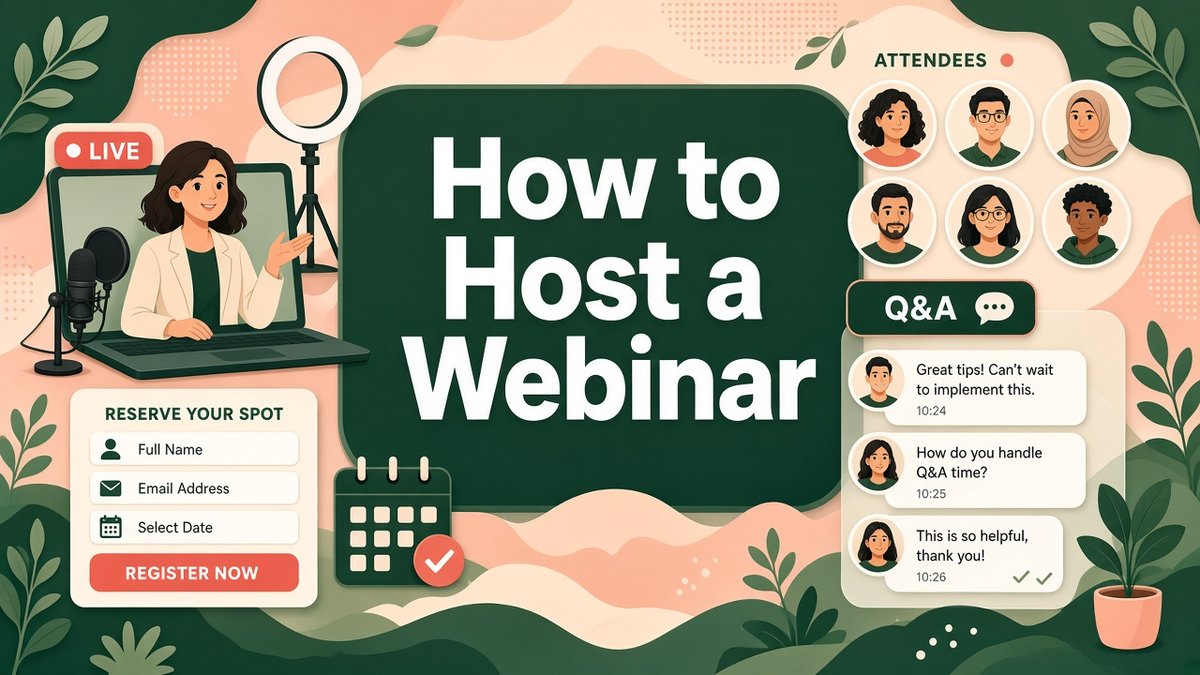
Learning how to host a webinar is one of the fastest ways for a small business to turn strangers into warm leads. In 45 to 60 minutes you can teach something useful, show your expertise live, answer real questions and invite people to a next step, all without travel or a venue. This guide walks you through the whole process: topic, registration page, reminder emails, tech setup, the live session and the follow-up that actually brings in sales.
✔ Key takeaways
⏱ About 8 min read · the short version is right here
- A good webinar solves one specific problem for one specific audience; the title should promise a clear result.
- Open registration two to three weeks ahead and send at least three reminders: on sign-up, 24 hours before and 1 hour before.
- If you have EU or UK registrants, use a clear, unticked consent box for marketing emails and link your privacy policy (GDPR).
- Expect roughly 35 to 45% of registrants to show up live, so the replay email and follow-up sequence matter as much as the session.
🔍 Checked on 5 November 2026: tool prices from the official systeme.io pricing page. Prices in US dollars, before taxes; they can change.
📋 In this guide
- Why webinars still work for small businesses
- Step 1: Pick a topic people will register for
- Step 2: Choose the format and the tools
- Step 3: Build the registration page (GDPR-ready)
- Step 4: Promote it and send reminders
- Step 5: Set up your space and rehearse
- Step 6: Run the live session
- Step 7: Send the replay and follow up
- Webinar benchmarks to track
- FAQ
Why webinars still work for small businesses
Webinars combine the reach of content marketing with the trust of a sales call. Registrants give you their email, so even people who never attend join your list. Those who attend spend close to an hour with you, which no blog post or ad can match.
They fit naturally into a sales funnel as the middle step between free content and a paid offer, and they are one of the most reliable lead generation channels for small business because the topic itself qualifies people.
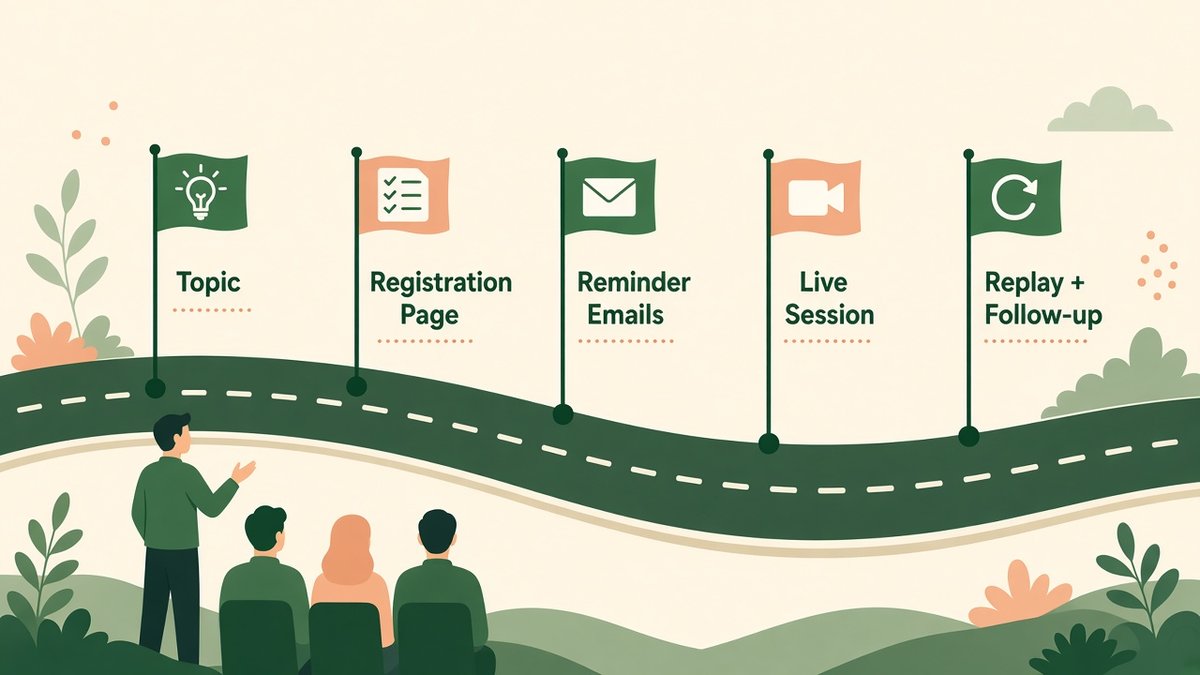
The five stages of hosting a webinar, from topic to replay and follow-up.
Step 1: Pick a topic people will register for
Most webinars fail before they start because the topic is too broad. ‘Marketing tips’ gets few sign-ups; ‘How to get 20 local reviews in 30 days without paying for ads’ fills seats.
- ☑ It solves one painful, specific problem your buyers have
- ☑ The title promises a measurable result or a clear outcome
- ☑ It naturally leads to your paid product or service
- ☑ You can teach it in 30 to 40 minutes, leaving time for Q&A
- ☑ Check your most-read posts, sales calls and support emails for repeated questions
💡 Title formula that works
How to [get result] in [time frame] without [common pain]. For example: How to fill your coaching calendar in 30 days without cold calling.
Step 2: Choose the format and the tools
Decide between live, evergreen (pre-recorded and played on a schedule) and hybrid. Start live: it is easier to make engaging and you learn what questions people really ask. Once a topic converts, turn the recording into an evergreen webinar that runs automatically.
| Format | Best for | Pros | Cons |
|---|---|---|---|
| Live | First webinars, launches, Q&A heavy topics | Energy, real-time questions, urgency | Fixed time zone, needs rehearsal |
| Evergreen | Proven topics, global audiences | Runs on autopilot, many time slots | Less interaction, must be updated |
| Hybrid | Recorded talk + live Q&A | Polished delivery plus real answers | More moving parts |
For the stream itself, tools like Zoom Webinars, StreamYard, Google Meet or YouTube Live all work. The bigger question is where registration, emails and the offer live. Systeme.io handles that part in one place: registration funnels, automated reminder emails, evergreen webinar funnels, order pages and courses. Its Free plan covers 2,000 contacts; the Startup plan is $17 a month, the Webinar plan (which adds evergreen webinars and 10,000 contacts) is $47 a month and Unlimited is $97 a month, with two months free on annual billing. You can still embed or link a live stream from your streaming tool on the Systeme.io webinar room page. For a full breakdown, see my Systeme.io review.
📌 Time zones for a global audience
If your audience spans the US and Europe, 11:00 a.m. US Eastern (16:00 UK, 17:00 CET) is a common sweet spot. Show the time in at least two zones on your page and let the calendar invite convert it automatically.
Step 3: Build the registration page (GDPR-ready)
Your registration page needs only five things: a result-focused headline, three bullet points on what they will learn, the date and time in multiple zones, a short host bio with a photo, and a form asking for first name and email only. My guide on how to create a landing page covers layout and copy in detail.
⚠️ GDPR and consent for registrations
If anyone registers from the EU or UK, collect only what you need, explain how you will use the data and link your privacy policy. You can send webinar emails (confirmation, reminders, replay) because they are part of the service they asked for, but adding them to your marketing newsletter needs a separate, unticked opt-in checkbox. Record when and how consent was given, and include an unsubscribe link in every email. In the US, CAN-SPAM rules on honest sender details and opt-outs apply. This is general information, not legal advice.
Step 4: Promote it and send reminders
Plan two to three weeks of promotion. Your existing email list and social followers will usually produce most sign-ups, followed by partners and a small ad budget if the webinar sells a high-value offer.
| When | What to send or post |
|---|---|
| Day -21 to -14 | Announce to your list, post on social, ask a partner to share |
| Immediately on sign-up | Confirmation email with calendar link and what to prepare |
| Day -3 | A useful pre-webinar tip or worksheet to build anticipation |
| Day -1 | Reminder: date, time in their zone, join link |
| 1 hour before | Short reminder: we start in 60 minutes, here is the link |
| Going live | We are live now email for latecomers |
| Day +1 | Replay link plus your offer and a deadline |
If your list already lives in Kit, its visual automations can tag registrants and send the reminder sequence automatically. Otherwise build it in the same tool as your registration page. The tone of these emails should match your welcome email sequence: helpful first, sales second.
Step 5: Set up your space and rehearse
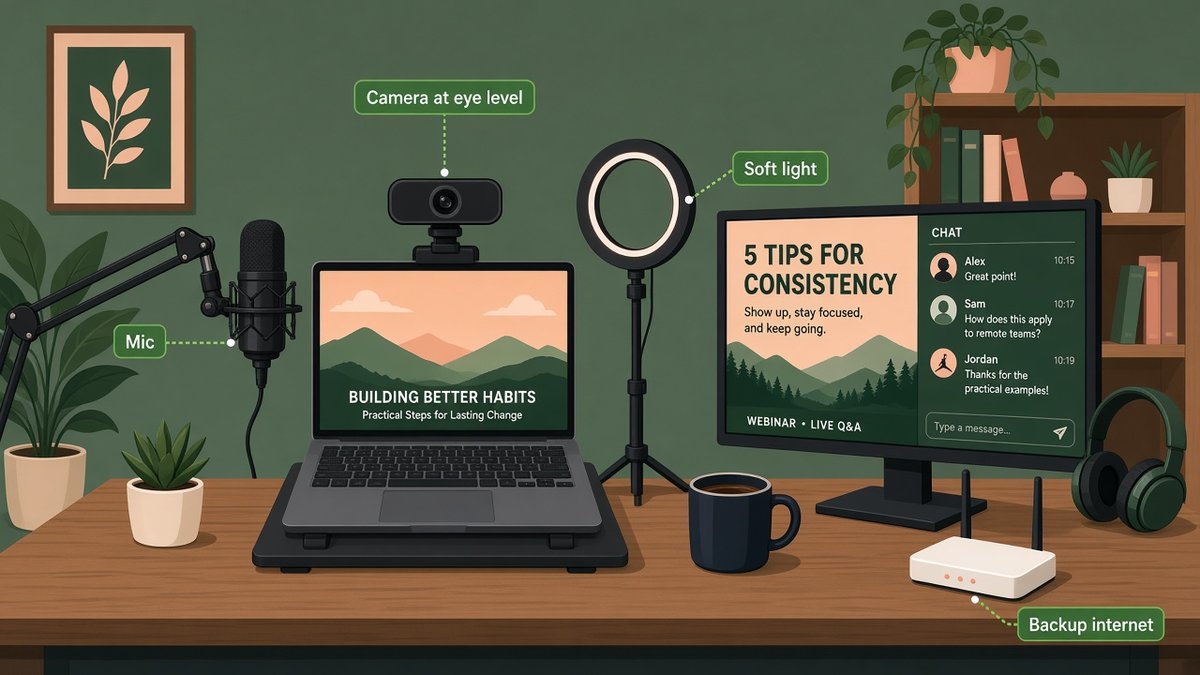
A simple webinar desk setup: camera at eye level, external mic, soft front light and a backup connection.
You do not need a studio. You need to be seen and heard clearly, and to stay online.
- ☑ Camera at eye level, about an arm’s length away; stack books under a laptop if needed
- ☑ External USB microphone or a good headset; audio matters more than video
- ☑ Soft light in front of you, never a bright window behind you
- ☑ Wired internet and a mobile hotspot as backup
- ☑ Notifications off, a glass of water and your slides on a second screen
💡 Do a full dress rehearsal
Run the whole webinar once, two or three days before, with a friend as attendee. Test screen sharing, polls, the chat and the link to your offer. Most live problems show up here.
Step 6: Run the live session
A simple structure keeps people watching until the end.
Welcome (0-5 min)
Greet people by name in the chat, say what they will get and ask where they are joining from.
Your story (5-10 min)
Briefly explain why you can help: a result, a client story, a lesson learned.
Teach (10-40 min)
Three key points or steps, each with an example. Teach real value; do not hold back the good parts.
Offer (40-50 min)
Bridge from what they learned to your next step: a call, a product, a trial. Give one clear link and a reason to act now.
Q&A (50-60 min)
Answer questions honestly, repeat the offer once, and thank everyone.
📌 Use a co-host
If you can, ask someone to moderate the chat, post links and flag questions. It frees you to focus on teaching.
Step 7: Send the replay and follow up
The follow-up is where most webinar revenue comes from. Send the replay within 24 hours to everyone who registered, with a short summary and the offer. Then send two or three more emails over the next five days: a key lesson, a client example and a final reminder before any deadline. Segment people who attended from those who did not and adjust the message.
Repurpose the recording too: cut clips for social, turn the outline into a blog post and offer the replay as a lead magnet on your site.
Webinar benchmarks to track
| Metric | Typical range | How to improve |
|---|---|---|
| Registration page conversion | 20 to 40% from warm traffic | Sharper headline, fewer form fields |
| Live attendance | 35 to 45% of registrants | More reminders, better time slot |
| Stay to the end | 50 to 70% of attendees | Tighter teaching, promise a bonus at the end |
| Offer conversion | Varies widely by price | Clear bridge, deadline, strong replay emails |
These are rough industry ranges, not guarantees. Your own numbers after two or three webinars are the best benchmark. Track them alongside your other small business KPIs.
Run your webinar funnel in one place
Build the registration page, reminder emails and offer page with Systeme.io. Start on the free plan and upgrade to the Webinar plan when you are ready for evergreen webinars.
Affiliate link. I may earn a commission at no extra cost to you.
Frequently Asked Questions
How long should a webinar be?
Around 45 to 60 minutes: about 30 to 40 minutes of teaching, 5 to 10 minutes for the offer and the rest for Q&A.
What is the best day and time to host a webinar?
Tuesday to Thursday, late morning in your main audience’s time zone, tends to work well. For US and European audiences, 11:00 a.m. Eastern (16:00 UK) is a popular choice. Test and compare your own results.
How far in advance should I promote a webinar?
Two to three weeks is ideal. Most sign-ups come in the last week, so increase promotion in the final days.
Do I need consent to email webinar registrants under GDPR?
You can send emails needed to deliver the webinar, such as confirmations, reminders and the replay. To add registrants to your marketing list, ask for separate, unticked opt-in consent and record it.
Can I host a webinar for free?
Yes. You can stream with a free tool and build a registration page and emails on a free plan, such as Systeme.io’s free plan. Paid plans add automation, evergreen replays and more contacts.
What is an evergreen webinar?
A pre-recorded webinar played on a schedule or on demand, so new leads can watch any time while the follow-up emails run automatically.
Affiliate disclosure: some links in this post are affiliate links, so I may earn a commission at no extra cost to you. I only recommend tools I’d use myself.