Choosing the best cloud storage for small business use is harder than it looks. Every provider promises secure, easy sharing, yet the real differences sit in the pricing model, who holds the encryption keys, where your files are stored and how well each tool fits the way your team already works. Pick wrong and you either overpay for seats you do not use or end up moving terabytes of client files a year later.
✔ Key takeaways
- For predictable long-term cost, pCloud is the only option here with a one-time lifetime plan; the rest are monthly or yearly subscriptions.
- If your team already pays for Microsoft 365 or Google Workspace, their built-in storage is often the cheapest place to start.
- For sensitive client files, look for end-to-end or client-side encryption: Sync.com includes it, and pCloud offers it as an add-on.
- Serving EU or UK customers? Check data location options and sign a data processing agreement, whatever you choose.
- Cloud storage is your offsite copy, not a full backup plan. Keep version history on and a local copy too.
📋 In this guide
- Quick picks
- How I compared the options
- Comparison table
- pCloud: best for lifetime pricing and optional encryption
- Dropbox: best for team file sharing
- Google Workspace: best if you live in Gmail and Docs
- OneDrive with Microsoft 365: best value for Office users
- Sync.com: best for default end-to-end encryption
- Encryption, EU data location and GDPR
- How to choose in 5 steps
- Frequently Asked Questions
- Final verdict
Quick picks
- Best for lifetime pricing and privacy: pCloud
- Best for team file sharing and integrations: Dropbox
- Best for Gmail and Google Docs teams: Google Workspace
- Best value for Office users: OneDrive with Microsoft 365
- Best for default end-to-end encryption: Sync.com
How I compared the options
I looked at each service from the point of view of a small business, freelancer or agency with roughly 1 to 20 people. The criteria were: pricing model and starting price, whether a lifetime option exists, encryption (and who holds the keys), EU data location and GDPR support, sharing features and who the tool suits best.
All prices below were checked on the providers’ official pricing pages on 23 October 2026, in US dollars. Promotions, taxes and regional prices change often, so treat them as a snapshot and check current pricing before you buy. If your team works across borders, you can also browse my other software reviews.
Comparison table

Compare price model, encryption and data location before you commit.
| Service | Price model (when checked) | Lifetime option | Encryption | EU data / GDPR | Best for |
|---|---|---|---|---|---|
| pCloud | Business from $9.99 per user/month (3-user minimum); personal lifetime plans from $219 one-time (promo price) | Yes | Client-side zero-knowledge encryption as an add-on | Swiss company, EU data centre option, GDPR compliance page | Owners who want to pay once and keep files private |
| Dropbox | Plus $9.99/month (1 person, 2 TB); Standard $15 per user/month (3+ users) | No | Encrypted at rest and in transit; provider-managed keys on standard plans | Check data residency options for your plan | Teams that share large files with clients |
| Google Workspace | Per user/month, check current pricing; Business Starter 30 GB, Business Standard 2 TB pooled per user | No | Encrypted at rest and in transit; client-side encryption only on higher tiers | Data regions on some plans, check yours | Teams that work in Gmail, Docs and Sheets |
| OneDrive (Microsoft 365) | Business Basic $7.00 per user/month paid yearly, 1 TB per user | No | Encrypted at rest and in transit; provider-managed keys | EU data residency options, check your plan | Teams that rely on Word, Excel and Teams |
| Sync.com | Teams 1TB from $6 per user/month billed annually (promotions may lower it) | No | End-to-end encryption built in | GDPR and PIPEDA compliance listed | Privacy-focused firms handling sensitive files |
💡 Count your users first
Per-user pricing adds up fast. A three-person team on a $15 plan pays $540 a year, every year. Write down how many people actually need an account before you compare.
pCloud: best for lifetime pricing and optional encryption
Full transparency: I am a pCloud customer and pay for a 10 TB plan myself, which is also why I joined its affiliate programme. What sold me was the option to pay once instead of renting storage forever. When I checked on 23 October 2026, pCloud’s pricing page listed lifetime plans at $219 for 500 GB, $499 for 2 TB and $1,499 for 10 TB as one-time payments (discounted from higher list prices). See the current pCloud plans and pricing before you decide, as these promotions come and go.
For teams, pCloud Business was listed at $9.99 per user per month for three users with 3 TB, with a 30-day free trial, activity logs, extended file history and an EU data centre. pCloud Encryption, its zero-knowledge client-side encryption, is an optional add-on, also available as a one-time lifetime purchase.
- Pros: lifetime option, Swiss company with EU data centre, optional zero-knowledge encryption, apps for every major platform.
- Cons: encryption costs extra, fewer office-suite integrations than Google or Microsoft, best prices depend on promotions.
Dropbox: best for team file sharing
Dropbox remains one of the smoothest tools for syncing and sharing large files with clients. Its plans page listed Plus at $9.99 per month for one person with 2 TB, Standard at $15 per user per month for teams of three or more, and Advanced at $24 per user per month. Dropbox integrates with a huge range of apps, which matters if your workflow spans design, video or client portals.
- Pros: excellent sync, file requests and sharing controls, wide integrations.
- Cons: no lifetime option, team plans need three or more users, provider-managed encryption keys.
Google Workspace: best if you live in Gmail and Docs
If your team already lives in Gmail, Docs and Sheets, Google Workspace storage is the natural choice, because you are paying for it anyway. Google lists pooled storage per user: 30 GB on Business Starter and 2 TB on Business Standard. Prices vary by region and promotion, so check current pricing in your country.
- Pros: real-time collaboration, email and storage in one bill, strong admin controls.
- Cons: storage is small on the entry plan, your files and email sit with one provider, key management stays with Google on most plans.
OneDrive with Microsoft 365: best value for Office users
For teams that rely on Word, Excel and Teams, OneDrive inside Microsoft 365 is hard to beat on value. Microsoft lists Business Basic at $7.00 per user per month, paid yearly, with 1 TB of cloud storage per user, web and mobile Office apps, business email and Teams, for up to 300 users.
- Pros: 1 TB per user on the entry business plan, email and Office apps included, familiar to most staff.
- Cons: desktop Office apps need a higher tier, admin settings can feel complex for a tiny team.
Sync.com: best for default end-to-end encryption
Sync.com builds end-to-end encryption into its standard service, so the provider cannot read your files. Its pricing page listed Teams 1TB from $6 per user per month billed annually, with some promotions lowering that further, and it highlights GDPR, HIPAA and PIPEDA compliance. It is a good fit for accountants, lawyers and consultants who share confidential documents.
- Pros: encryption by default, strong sharing controls, compliance focus.
- Cons: fewer integrations, no lifetime option, encryption can limit some in-browser previews and editing.
📌 What about Box?
Box is a strong option for larger teams with heavy compliance and workflow needs. Its site blocked my automated price check today, so I have left it out of the table; check current pricing on box.com if you are comparing enterprise features.
Encryption, EU data location and GDPR
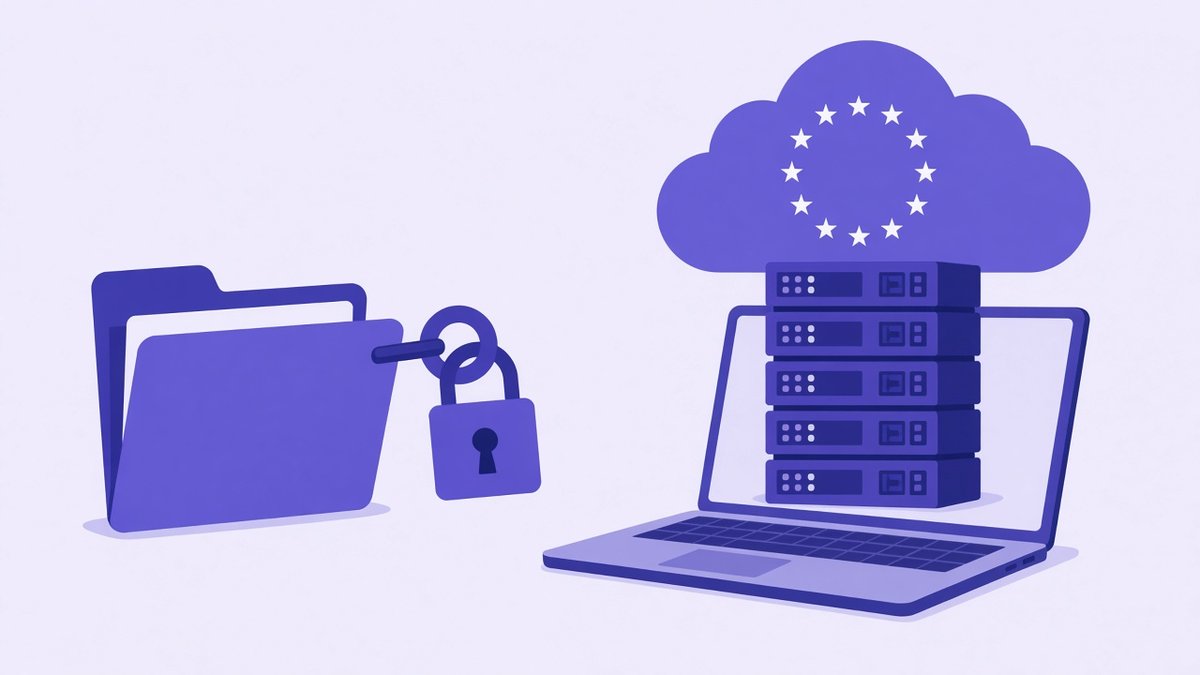
Encryption and EU data location matter most for client and customer files.
All five services encrypt files in transit and at rest. The real question is who holds the keys. With standard encryption, the provider manages the keys and could technically access your data, for example to comply with a legal request. With client-side or end-to-end encryption, files are encrypted on your device and only you hold the key.
For UK and EU businesses, GDPR adds three practical checks: where your data is stored, whether the provider signs a data processing agreement, and how international transfers are handled. pCloud offers an EU data centre and publishes a GDPR compliance page, which is worth a look if your customers are in the EU. Microsoft and Google both publish data residency options for business customers, so check what your plan includes, while Sync.com relies on its end-to-end encryption model. Whatever you choose, document it in your privacy policy and your standard operating procedures.
⚠️ Cloud storage is not a complete backup
Sync can copy a deletion or a ransomware-encrypted file to every device. Turn on version history and follow the 3-2-1 rule from my guide on how to back up business data.
How to choose in 5 steps
List what you store
Estimate total storage, file sizes and how many people need access. Include client files, finance records and media.
Check what you already pay for
If you have Microsoft 365 or Google Workspace, test their storage before buying another tool.
Decide on encryption
For confidential client data, choose end-to-end or client-side encryption, and store keys and passwords safely.
Confirm data location and GDPR
If you serve UK or EU customers, pick an EU data region where possible and sign the provider’s data processing agreement.
Run a two-week trial
Move one real project, share files with a client, restore a deleted file and check the mobile apps before you commit.
Once you choose, keep your file structure tidy with clear folder names for clients, finance and operations. My guide to business record keeping has a simple structure you can copy.
Frequently Asked Questions
What is the best cloud storage for small business?
It depends on your setup. pCloud suits owners who want a lifetime plan and optional encryption, Dropbox suits file-sharing teams, Google Workspace and Microsoft 365 suit teams already using those apps, and Sync.com suits firms that want end-to-end encryption by default.
Is there cloud storage with a one-time payment?
Yes. pCloud sells lifetime plans paid once. When I checked on 23 October 2026, they started at $219 for 500 GB as a promotional price. Prices change, so check the current offer.
Which cloud storage is best for GDPR?
Look for an EU data location option, a data processing agreement and strong encryption. pCloud offers an EU data centre, Sync.com uses end-to-end encryption, and Microsoft and Google publish data residency options for business customers.
Is OneDrive included with Microsoft 365 Business?
Yes. Microsoft 365 Business Basic includes 1 TB of OneDrive storage per user, along with web and mobile Office apps, business email and Teams.
Is cloud storage the same as a backup?
No. Cloud storage that syncs can copy deletions and ransomware damage. Turn on version history and keep at least one separate copy, following the 3-2-1 rule.
Final verdict
There is no single best cloud storage for small business owners everywhere, but there is a best fit for you. If you already pay for Microsoft 365 or Google Workspace, start there. If privacy and long-term cost matter most, pCloud’s lifetime plans and optional encryption are what I chose for my own files, and Sync.com is a strong pick for encryption by default. Dropbox stays the favourite for teams that share big files with clients every day.
Compare pCloud plans
Lifetime and subscription plans, an EU data centre and optional zero-knowledge encryption. I use a 10 TB plan myself.
See pCloud plans and pricing →
Not ready to buy? try it free first.
Affiliate links. I may earn a commission at no extra cost to you.
Affiliate disclosure: some links in this post are affiliate links, so I may earn a commission at no extra cost to you. I only recommend tools I’d use myself.