pCloud pricing is unusual in cloud storage because you can pay once and keep the space for life, instead of renting it every month. That makes the real question less “how much does pCloud cost?” and more “after how many years does a lifetime plan beat a subscription, and which size do I need?” This guide covers every pCloud plan and price as shown on pcloud.com on 14 November 2026, the lifetime vs monthly break-even math, the add-ons worth paying for, and who should skip pCloud entirely.
✔ Key takeaways
⏱ About 8 min read · the short version is right here
- On 14 Nov 2026 pCloud lifetime plans were on a Black Friday sale: 500 GB for 159, 2 TB for 379 and 10 TB for 1,099 (one-time, USD and GBP showed the same figures).
- Subscriptions on the same page: 500 GB at 4.99 a month or 49.99 a year, 2 TB at 9.99 a month or 99.99 a year, 10 TB at 29.99 a month or 299.99 a year.
- At sale prices a lifetime plan pays for itself after roughly 3 to 4 years compared with annual billing.
- Client-side encryption (pCloud Encryption) is an extra, not included in standard plans.
- pCloud is a Swiss company and lets you choose an EU (Luxembourg) or US data region at sign-up, which helps with GDPR.
📋 In this guide
pCloud pricing at a glance
Here are the personal plans as listed on pCloud’s pricing page on 14 November 2026. pCloud shows prices in your local currency; the US page showed USD and the UK page showed the same figures in GBP. Taxes such as VAT may be added at checkout depending on where you live.
| Plan | Storage | Monthly | Annual | Lifetime (one-time) |
|---|---|---|---|---|
| Premium | 500 GB | 4.99 | 49.99 | 159 (list 279) |
| Premium Plus | 2 TB | 9.99 | 99.99 | 379 (list 709) |
| Ultra | 10 TB | 29.99 | 299.99 | 1,099 (list 2,799) |
| 3in1 Bundle | Lifetime storage + Encryption + Pass Premium | – | – | 579 (list 1,517) |
📌 Checked on 14 November 2026
Prices change often, especially around Black Friday. Always confirm the final price on pCloud’s plans and pricing page before you buy.
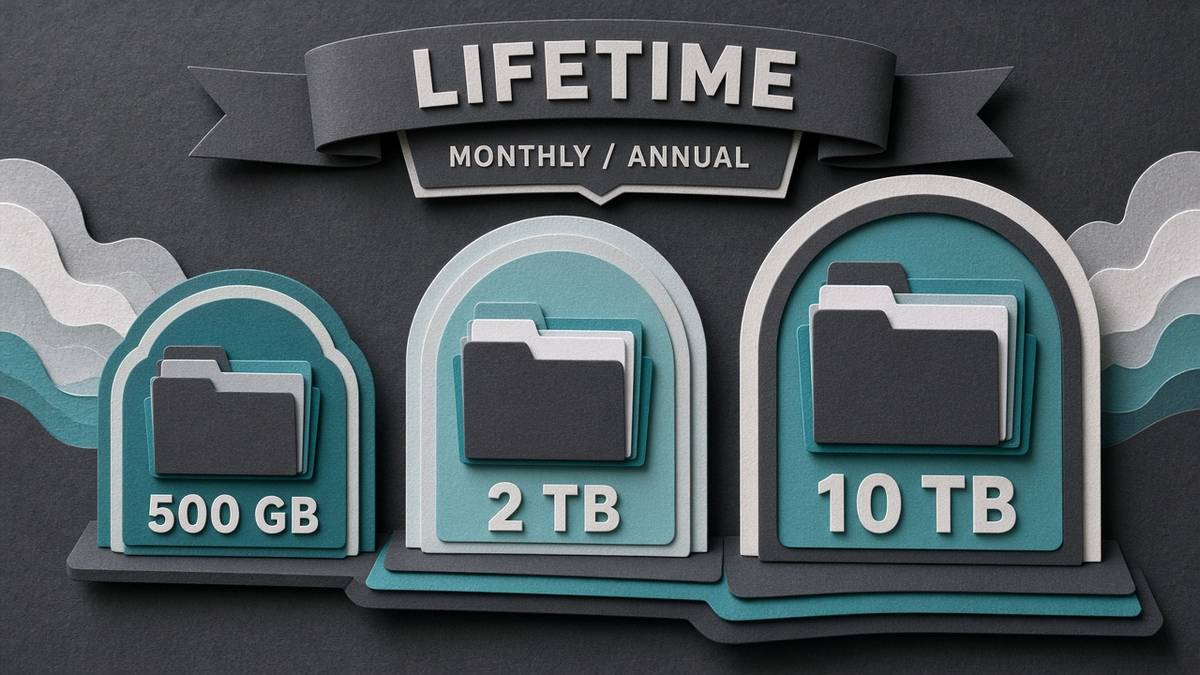
pCloud sells the same three storage sizes as monthly, annual or lifetime plans.
pCloud plans explained
All paid personal plans share the same core features; the main difference is how much space you get. According to pCloud’s pricing page, every plan includes:
- Upload of files of any size, with no throttling of transfer speed.
- File versioning and data recovery from up to 30 days ago.
- Shared folders, password-protected share links, file requests and branded shares.
- Built-in music and video players, plus pCloud Photos with timeline and map views.
- Desktop drive app (files stream without using local disk), phone gallery backup and offline access.
- Built-in document editors (pCloud Docs) for documents, spreadsheets, presentations, PDFs and text.
| Plan | Best for | Typical use |
|---|---|---|
| Premium 500 GB | Freelancers and solo users | Client files, invoices, contracts, a few years of photos |
| Premium Plus 2 TB | Most small businesses and creators | Full business archive, design files, phone backups for two or three devices |
| Ultra 10 TB | Video creators, photographers, agencies | Raw footage, large media libraries, long-term project archives |
If you are still comparing providers, my pCloud vs Google Drive vs Dropbox comparison and the roundup of the best cloud storage for small business cover the collaboration side in more depth.
Lifetime vs subscription: the break-even math
A lifetime plan is a bet that you will still want the storage years from now. The simplest way to judge it is the break-even point: lifetime price divided by the yearly subscription price.
| Plan | Lifetime (sale) | Annual plan | Break-even vs annual | Break-even vs monthly |
|---|---|---|---|---|
| 500 GB | 159 | 49.99 / year | about 3.2 years | about 32 months |
| 2 TB | 379 | 99.99 / year | about 3.8 years | about 38 months |
| 10 TB | 1,099 | 299.99 / year | about 3.7 years | about 37 months |
At the regular list prices the picture changes: 2 TB lifetime at 709 takes about 7 years to beat the annual plan. That is why the timing of a lifetime purchase matters as much as the plan. The same logic applies to any purchase that trades a one-off cost for lower running costs, which I cover in how to calculate break-even point.

A lifetime plan wins once you have kept it longer than its break-even point.
💡 Rule of thumb
If you expect to need the space for 4 years or more and the lifetime plan is on sale, lifetime is usually the cheaper choice. If you are unsure about your needs next year, start with monthly.
Black Friday 2026 note
On 14 November 2026 the lifetime tab on pCloud’s pricing page carried a Black Friday badge, and every lifetime plan showed a “Save” amount against its list price: 120 off 500 GB, 330 off 2 TB, 1,700 off 10 TB and 938 off the 3in1 bundle. pCloud does not state an end date on that page, so if you are planning a lifetime purchase this season, check the current lifetime offer sooner rather than later. Subscription prices were not discounted.
Add-ons: Encryption, Pass and the 3in1 bundle
| Add-on | What it does | Who needs it |
|---|---|---|
| pCloud Encryption | Client-side, zero-knowledge encryption for a separate Crypto folder; pCloud cannot read those files | Anyone storing contracts, IDs, health or financial records, client data under GDPR |
| pCloud Pass Premium | Password manager with end-to-end encryption | Small teams that still share passwords in spreadsheets |
| 3in1 Bundle | Lifetime storage + Encryption + Pass Premium in one purchase | People who want all three and prefer one lifetime payment |
Encryption is the add-on I’d prioritise for business use, because standard cloud storage is encrypted in transit and at rest but the provider still holds the keys. Read more on the pCloud Encryption page, and see my password security guide for small business if you are considering Pass.
Family and Business plans
pCloud also sells a Family lifetime plan (shared storage for several users) and pCloud Business, which is billed per user and adds team controls, activity logs and access permissions. Their prices depend on team size and billing period, so check the pCloud Business page or the Family plan page directly rather than relying on third-party figures.
📌 Team or solo?
If two or three people only need to share client folders, one Premium Plus plan with shared folders is often enough. Move to Business when you need per-user accounts, admin control and audit logs.
Privacy, Swiss law and EU data region
pCloud AG is based in Switzerland, which has strict privacy law, and at sign-up you can choose to store your data in the EU (Luxembourg) or the US. For European businesses, an EU data region plus client-side encryption makes it easier to meet GDPR obligations for personal data. The EU landing page explains the options.
Remember that cloud sync is not the same as a backup. Keep a separate copy of critical files, as described in how to back up business data, and organise records properly with the steps in business record keeping.
Which pCloud plan should you buy?
| Your situation | Recommended plan |
|---|---|
| Solo freelancer, mostly documents | Premium 500 GB lifetime, or monthly if you are testing |
| Small business archive and phone backups | Premium Plus 2 TB lifetime during a sale |
| Video, photo or design-heavy work | Ultra 10 TB lifetime |
| Handling sensitive client data in the EU | 2 TB lifetime + Encryption, or the 3in1 bundle, with EU data region |
| Team of 5+ needing admin control | pCloud Business (per user) |
Get pCloud lifetime storage
Pay once for 500 GB, 2 TB or 10 TB, choose an EU or US data region, and stop renting storage every month.
Not sure yet? try it free first.
Affiliate links. I may earn a commission at no extra cost to you.
Honest downsides
- No real-time co-editing like Google Docs. pCloud Docs covers basic editing, but teams that live in shared documents will still want Google Workspace or Microsoft 365.
- Encryption costs extra. Competitors such as some privacy-first providers include zero-knowledge encryption by default.
- Lifetime means the life of the service, not your life. You are trusting pCloud to stay in business.
- List prices are high. Buying a lifetime plan outside a sale can take 6 to 7 years to pay off.
- Fewer integrations than Google Drive or Dropbox for third-party business apps.
Frequently Asked Questions
How much does pCloud cost per month?
On 14 November 2026 pCloud listed 4.99 a month for 500 GB, 9.99 for 2 TB and 29.99 for 10 TB, in your local currency, with cheaper annual billing at 49.99, 99.99 and 299.99 a year.
How much is pCloud lifetime?
During the Black Friday 2026 sale pCloud listed lifetime plans at 159 for 500 GB, 379 for 2 TB and 1,099 for 10 TB as one-time payments, down from list prices of 279, 709 and 2,799.
Is pCloud lifetime worth it?
It is worth it if you will use the storage for more than about 3 to 4 years and buy during a sale. At full list price the break-even point stretches to around 6 to 7 years.
Does pCloud lifetime include encryption?
No. Standard lifetime plans do not include pCloud Encryption; it is an add-on or part of the 3in1 bundle.
Can I upgrade a pCloud lifetime plan later?
pCloud covers lifetime upgrades in the FAQ on its pricing page. Before upgrading, check the options and any price difference shown in your account, ideally during a sale.
Is pCloud GDPR compliant?
pCloud is a Swiss company and lets you store data in an EU data centre in Luxembourg. Combined with client-side encryption and a data processing agreement, that supports GDPR compliance, but you remain responsible for how you handle personal data.
pCloud pricing makes most sense when you treat storage as a long-term asset: pick the size you will need in three years, buy lifetime during a sale, add Encryption if you store sensitive data, and keep a separate backup. If you only need storage for a short project, a monthly plan keeps your options open. You can browse more tool breakdowns in the Reviews section, including SE Ranking pricing and Kit pricing.
Affiliate disclosure: some links in this post are affiliate links, so I may earn a commission at no extra cost to you. I only recommend tools I’d use myself.