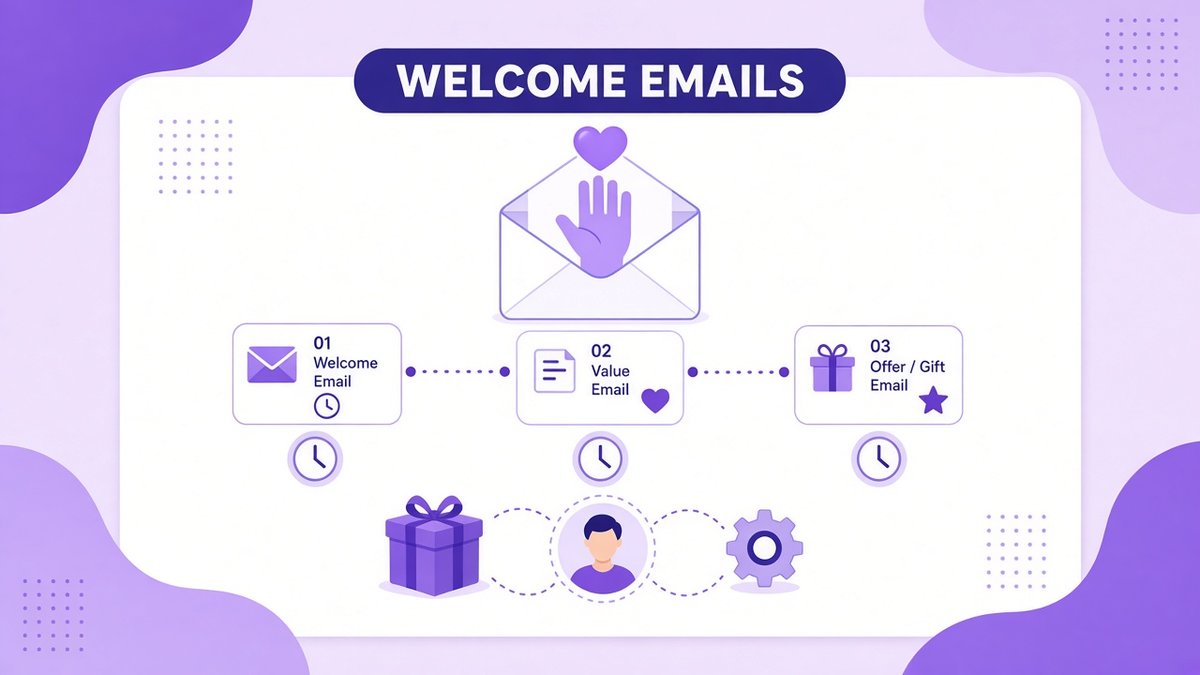
A welcome email sequence is a short series of automated emails that every new subscriber receives right after joining your list. It is the first real conversation you have with a new reader, and it is often the email series with the highest open rates you will ever send. In this guide, I show you how to plan a welcome email sequence, give you a simple five-email template you can copy, explain which tools can automate it on a free or low-cost plan, and cover the GDPR basics that matter for subscribers in the UK and EU.
✔ Key takeaways
- A welcome email sequence runs automatically and turns new subscribers into engaged readers.
- Send the first email immediately: deliver the freebie and set expectations.
- Three to seven emails over one to two weeks is enough for most small businesses and creators.
- Each email should do one job: deliver, introduce, teach, prove or offer.
- Systeme.io includes automation on its free plan; Kit sequences start on its paid Creator plan.
- Record consent, add an unsubscribe link to every email and track clicks, not only opens.
📋 In this guide
- What a welcome email sequence is
- Why welcome emails matter so much
- Plan your sequence before you write
- A 5-email welcome sequence you can copy
- How to write welcome emails people open
- Tools to automate your welcome sequence
- How to set it up in 6 steps
- GDPR and email law basics
- How to measure and improve it
- Common welcome email mistakes
- Frequently Asked Questions
- Final thoughts
What a welcome email sequence is
A welcome email sequence, sometimes called an onboarding sequence or welcome series, is a set of emails triggered when someone subscribes. Instead of sending your newest subscriber straight into your regular newsletter, you send them a planned introduction that runs on its own, day after day.
Think of it like greeting a guest at your door. You hand over what they came for, tell them who you are, show them around and, when the time is right, mention how you can help further. You write it once and it works for every subscriber who joins, whether that is five people this week or five thousand.
| Email type | Sent when | Main job |
|---|---|---|
| Single welcome email | Once, right after signup | Deliver the freebie and say hello |
| Welcome sequence | 3 to 7 emails over 1 to 2 weeks | Build trust and lead to a first offer |
| Regular newsletter | On your normal schedule | Keep readers engaged long term |
Why welcome emails matter so much
New subscribers are at their most interested in the first few days. They just raised their hand, so they are watching their inbox for you. If the first email arrives a week later, many will have forgotten who you are, and some will mark you as spam.
A good sequence uses that attention well. It teaches inbox providers that people open and click your emails, which helps deliverability. It also lets you share your best content with every new reader, not only the people who happened to subscribe on the day you sent it. For a small business, it is also the easiest place to make a first sale without being pushy.
💡 Your welcome email is your best performing email
Because people expect it, the first welcome email often gets far more opens than a regular broadcast. Put your most important link in it.
Plan your sequence before you write
Before writing a single word, answer four questions:
- Who is joining? Describe the subscriber and the signup form or lead magnet they came from.
- What did you promise? A checklist, a discount, a mini course or a weekly newsletter. Deliver it first.
- What should they know about you? Your story, your values and why they should trust you.
- What is the next step? Reply, read a key article, book a call or buy a starter product.
If you do not have a lead magnet yet, read my guide on how to create a lead magnet first. A clear freebie makes the whole sequence easier to write.
A 5-email welcome sequence you can copy
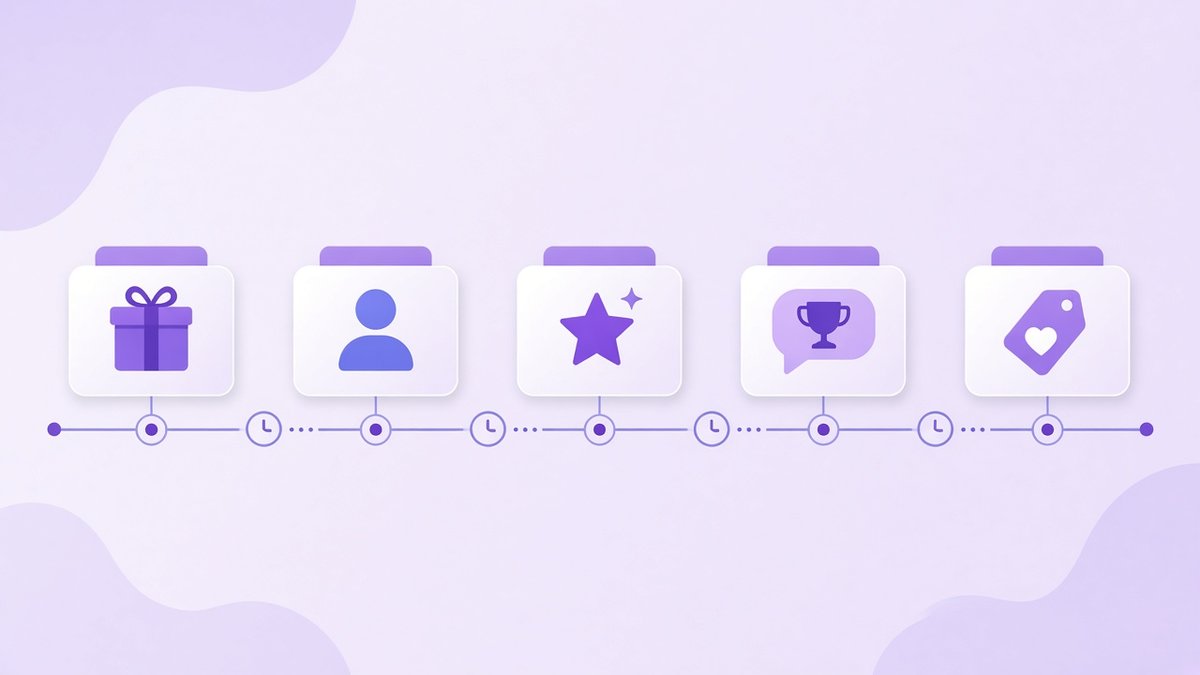
A simple five-email welcome sequence: deliver the freebie, introduce yourself, share your best content, tell a customer story, then make a soft offer.
Here is a simple structure that works for coaches, freelancers, online shops and newsletter creators. Adjust the timing to your audience.
Day 0: Deliver and welcome
Send this immediately. Deliver the freebie with one clear link, say thank you, explain what they will get from you and how often. Ask them to reply with one sentence about their biggest challenge.
Day 1: Your story
Explain who you are and why you do this work. Keep it short and relevant to the reader. One honest struggle and how you solved it builds more trust than a list of achievements.
Day 3: Your best content
Share one or two of your most useful articles, videos or tips. Teach something they can use today. This proves your emails are worth opening.
Day 5: Proof
Share a short customer story or case study with a real result. Show the before, the after and what made the difference.
Day 7: Soft offer
Introduce your product or service as the natural next step. Explain who it is for, what it costs and how to get started. Then tell them what to expect from your regular emails.
📌 Keep the offer honest
If you include a launch discount, give it a real deadline and stick to it. Fake urgency damages trust quickly, and that trust is the whole point of the sequence.
How to write welcome emails people open
- Write clear subject lines: “Your checklist is here” beats a clever line people do not understand.
- Use a real name in the From field: people open emails from people.
- One email, one goal: give each email a single main link or call to action.
- Keep it short: 150 to 300 words is enough for most welcome emails.
- Write like you talk: short sentences, simple words and a friendly tone.
- Make it mobile friendly: most people read email on their phones, so keep layouts simple.
- Invite replies: replies are a strong positive signal for deliverability and give you customer insights.
If you want more help with the bigger picture, my guide to email marketing for small business explains how your list, lead magnet and welcome sequence fit together.
Tools to automate your welcome sequence
To run a welcome sequence automatically, you need an email tool with automations, sometimes called sequences, workflows or autoresponders. Here is how two creator-friendly options compare, based on their official pages when I last checked:
| Tool | Free plan | Welcome sequences | Best for |
|---|---|---|---|
| Systeme.io | Yes, 2,000 contacts and unlimited email sends | Included, with 1 automation rule on the free plan and 10 on Startup ($17/month) | All-in-one: email, funnels, courses and payments |
| Kit | Yes, up to 10,000 subscribers | Paid Creator plan, from $33/month for 1,000 subscribers | Creators and newsletters that want flexible tagging |
| MailerLite | Yes, with limits | Available, check current plan limits | Small businesses that want a simple editor |
If you want to start free and also sell products from the same account, Systeme.io is a strong choice; my Systeme.io pricing breakdown explains when the free automation limit becomes tight. If your business is mainly a newsletter, Kit is excellent for creators. Its free plan covers broadcasts and landing pages, but automated sequences start on the Creator plan, so check Kit’s current pricing before you commit. I compare the two newsletter tools in detail in Kit vs MailerLite and review Kit fully in my Kit review.
⚠️ Prices change
Pricing above is in USD and was correct when I checked. Readers in the UK and Eurozone should confirm the final amount, including VAT, on the official pricing page.
How to set it up in 6 steps
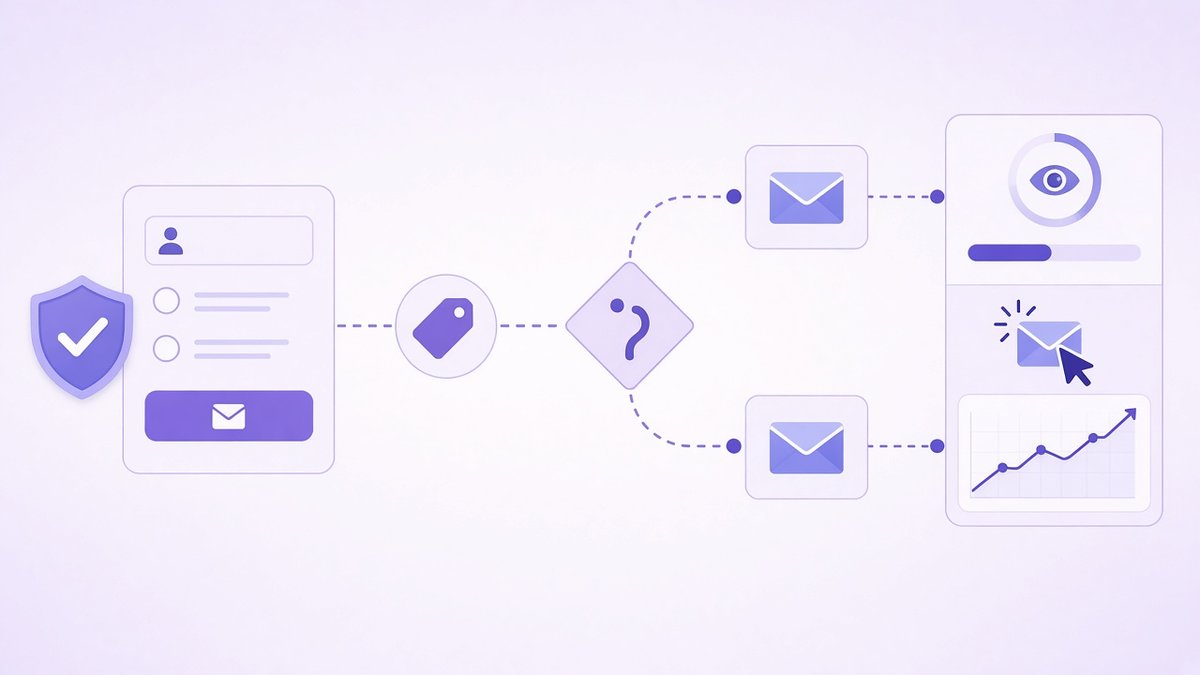
Welcome email automation: a consented signup adds a tag, the subscriber gets the right emails, and a dashboard tracks opens, clicks and growth.
Create your signup form
Add a form or landing page with a clear promise and a consent checkbox if you need one for your audience.
Tag new subscribers
Add a tag based on the form or freebie so you know where each person came from.
Write all emails first
Draft the full sequence in a document before you open the tool. Read it in one go to check the flow.
Build the automation
Set the trigger to “subscribes to form” or “tag added”, then add each email with its delay.
Test it yourself
Subscribe with your own address, check every link and view the emails on your phone.
Move them to your newsletter
At the end, add subscribers to your regular broadcast list so they do not get two streams of email at once.
GDPR and email law basics
Email rules differ by region, but a few basics apply almost everywhere:
- UK and EU (GDPR and PECR/ePrivacy): you generally need clear, freely given consent for marketing emails. Do not pre-tick boxes, explain what people sign up for and keep a record of consent.
- US (CAN-SPAM): use accurate From details and subject lines, include your physical postal address and honour unsubscribe requests promptly.
- Everywhere: include a working unsubscribe link in every email and link to your privacy policy on your signup form.
- Data location: check where your email provider stores data and whether it offers a data processing agreement.
⚠️ Not legal advice
This is a simple overview, not legal advice. If you are unsure, check guidance from your national data protection authority, such as the ICO in the UK.
How to measure and improve it
Check your sequence every month or after every 100 new subscribers. Look at each email separately:
- Open rate: a rough guide only, because privacy features in many email apps inflate opens.
- Click rate: a much better signal of real interest. Low clicks mean the link or offer needs work.
- Unsubscribe rate: a spike after one email tells you something in it missed the mark.
- Replies: read them all. They tell you exactly what your readers care about.
- Conversions: how many subscribers buy or book within 30 days of joining.
Change one thing at a time, such as a subject line or the offer email, so you know what made the difference. My post on small business KPIs explains how to track these numbers alongside the rest of your business.
Common welcome email mistakes
- Waiting too long: the first email should go out within minutes, not days.
- Selling in the first email: deliver what you promised first and earn the right to sell.
- Too many links: several competing calls to action mean people click none of them.
- No plain-text feel: heavily designed emails can look like ads and land in the promotions tab.
- Forgetting old subscribers: people who joined before the sequence existed miss your best content, so send it to them as a one-off broadcast.
- Set and forget: outdated links and old offers quietly hurt results. Review the sequence every quarter.
Frequently Asked Questions
How many emails should a welcome sequence have?
Most small businesses and creators do well with three to seven emails sent over one to two weeks. Start with three to five, measure the results and add more only if readers keep engaging.
When should I send the first welcome email?
Immediately after signup. New subscribers expect it, so the first email usually gets the best engagement of the whole sequence.
What should I include in a welcome email?
Thank the reader, deliver the freebie or discount you promised, explain what they will receive and how often, and give one clear next step, such as replying or reading your best article.
Can I create a welcome email sequence for free?
Yes. Systeme.io includes email automation on its free plan with up to 2,000 contacts, although only one automation rule. Kit’s free plan covers broadcasts but not automated sequences, which start on its paid Creator plan.
Should I sell in my welcome sequence?
Yes, but gently and later in the sequence. Deliver value first, then introduce your product or service as a natural next step around the fourth to seventh email.
Do I need consent to send welcome emails to EU subscribers?
In most cases, marketing emails to people in the UK and EU need clear, freely given consent under GDPR and ePrivacy rules. Explain what people sign up for, avoid pre-ticked boxes and keep a record of consent.
Final thoughts
A welcome email sequence is one of the highest-value things you can build for your email list. Write it once, keep each email focused on one job, deliver what you promised quickly and make a gentle, honest offer once trust is there. Then let it run, measure the clicks and improve one email at a time.
Today, write just the first email: the delivery and welcome. Tomorrow, add the second. In a week you will have a full sequence working for you around the clock.
Build your welcome sequence free with Systeme.io
Create your signup page, automate your welcome emails and sell your first product from one tool, with a free plan that never expires.
Affiliate link. I may earn a commission at no extra cost to you.
Affiliate disclosure: some links in this post are affiliate links, so I may earn a commission at no extra cost to you. I only recommend tools I’d use myself.