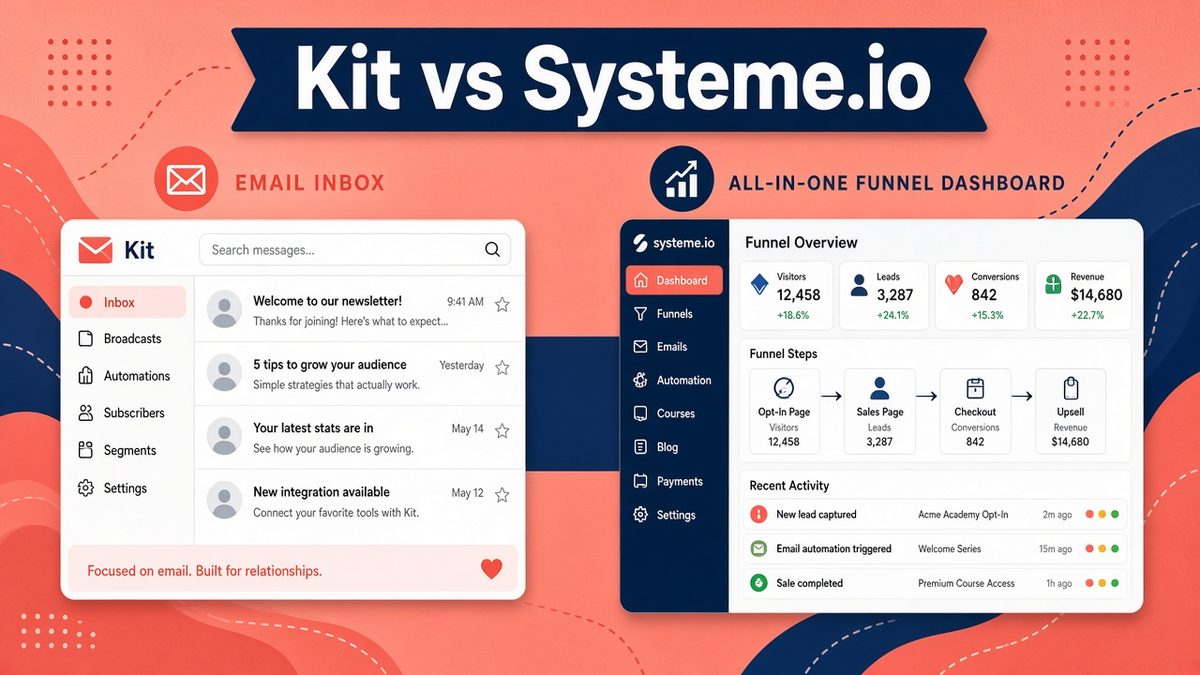
Kit vs Systeme.io is a comparison I get asked about constantly, and the honest answer is that they are built for two different kinds of business. Kit (formerly ConvertKit) is a specialist email platform for creators who live off a newsletter. Systeme.io is an all-in-one tool that bundles email with funnels, courses, a website and a checkout. Pick the wrong one and you either pay for features you never touch or bolt on three extra tools to fill the gaps.
🔍 How I checked: figures from the official pricing pages, help docs and privacy policies of Kit and Systeme.io, checked on 3 November 2026. Prices are in US dollars and can change, so confirm before you buy.
Best pick for each use case
| If you are… | Best pick | Why |
|---|---|---|
| A newsletter creator, writer or podcaster | Kit | Best-in-class broadcasts, tagging, creator recommendations network and paid newsletters |
| A coach, course seller or solo business selling digital products | Systeme.io | Email, funnels, course hosting and checkout in one bill, with a generous free plan |
| On a $0 budget with a list under 2,000 | Systeme.io (or Kit Free) | Both free plans are real; Systeme.io adds funnels and a course, Kit allows more subscribers |
| Growing past 10,000 subscribers with heavy automation | Kit | Deeper segmentation, deliverability reporting and integrations on Creator and Pro |
| Already running funnels on another builder | Kit | It plugs into almost anything; you do not need Systeme.io’s page builder |
📌 Best pick in one line
If email is the product, choose Kit. If email is one part of selling a course, coaching offer or digital product, choose Systeme.io. Most readers of this blog fall into the second group.
✔ Key takeaways
⏱ About 9 min read · the short version is right here
- Kit’s Free plan covers up to 10,000 subscribers; Creator starts at $33 a month (or $390 a year) for 1,000 subscribers.
- Systeme.io’s Free plan includes 2,000 contacts, unlimited emails, 3 funnels and 1 course; paid plans are $17, $47 and $97 a month and are not priced by list size.
- Kit wins on newsletter tools, visual automations and creator growth features. Systeme.io wins on all-in-one value.
- Both are workable for GDPR if you use double opt-in and consent checkboxes; Systeme.io is an EU (France) company, Kit is US-based.
📋 In this guide
Kit vs Systeme.io at a glance
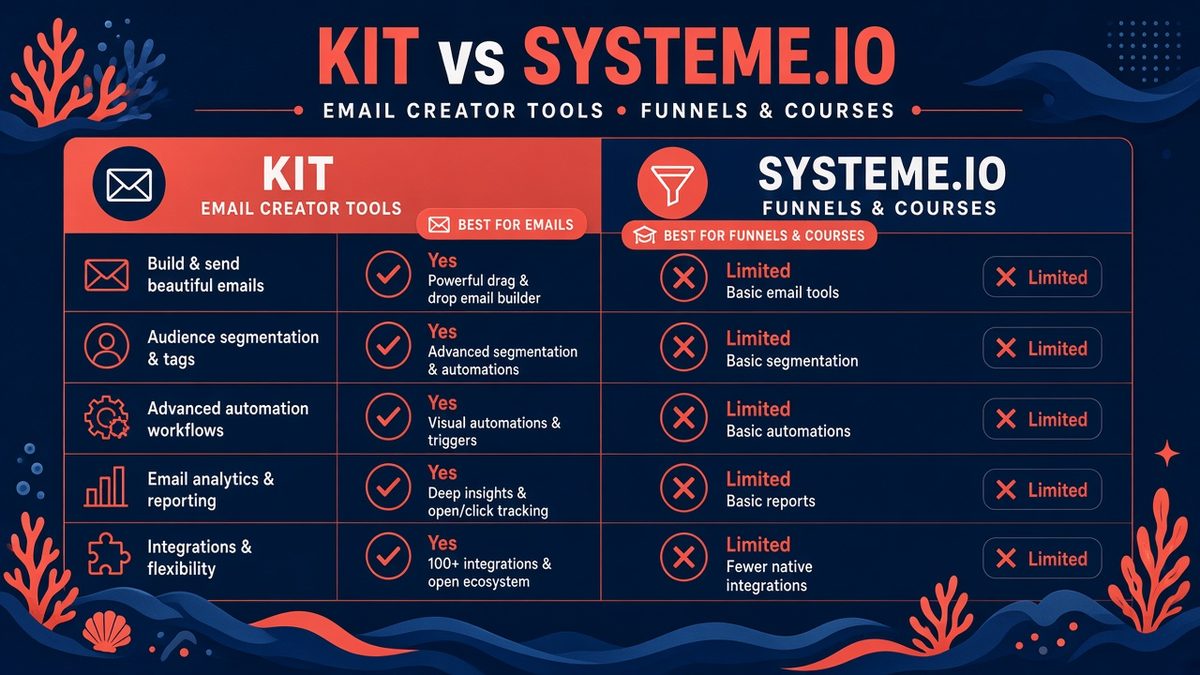
Kit focuses on email and creator growth; Systeme.io bundles email with funnels, courses and checkout.
| Feature | Kit | Systeme.io |
|---|---|---|
| Best for | Newsletter creators | Course, coaching and digital product sellers |
| Free plan | Up to 10,000 subscribers | 2,000 contacts, 3 funnels, 1 course |
| Paid from | $33/mo (Creator, 1,000 subs) | $17/mo (Startup, 5,000 contacts) |
| Pricing model | Scales with subscriber count | Flat tiers by feature limits |
| Visual automations | Yes (unlimited on Creator) | Yes (rules + workflows) |
| Landing pages and forms | Unlimited | Unlimited within funnel limits |
| Sales funnels | No (landing pages only) | Yes, with upsells and order bumps |
| Course and membership hosting | No | Yes |
| Sell digital products | Yes (Kit Commerce) | Yes (built-in checkout, Stripe and PayPal) |
| Paid newsletter | Yes | Not a core feature |
| Company base | USA | France (EU) |
The table tells most of the story. The rest of this post explains where each difference actually matters day to day.
Pricing: what you actually pay
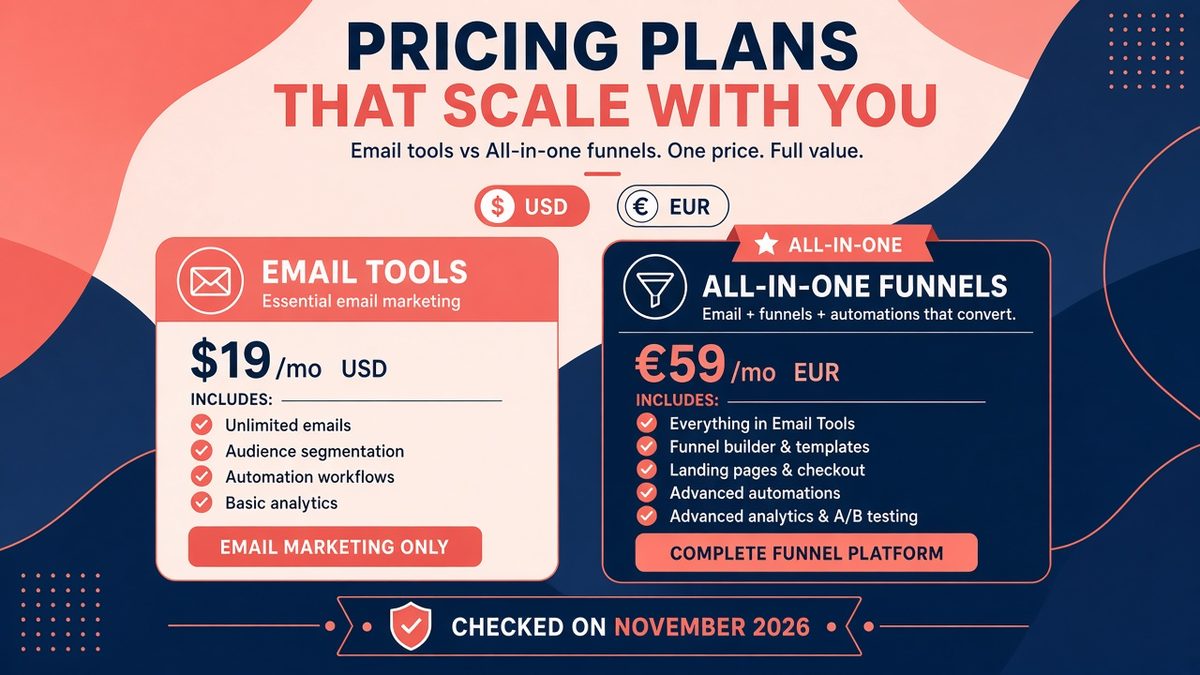
Kit pricing grows with your list; Systeme.io pricing grows with the features you unlock.
This is where the two platforms feel most different, and where most people make their decision.
Kit has three plans. Free supports up to 10,000 subscribers with unlimited landing pages, forms and broadcasts, plus audience tagging and the ability to sell digital products. Creator is $33 a month billed monthly for 1,000 subscribers, or $390 billed yearly (about 17% off). It adds unlimited visual automations and sequences, removes Kit branding and opens up integrations. Pro, aimed at scaling creators, lists at $66 a month for 1,000 subscribers and adds Subscriber Signals, engagement scoring, deliverability reporting, a newsletter referral system and unlimited users. Kit was running a limited-time Pro discount when I checked. Every Kit paid plan rises as your list grows, so check the slider on Kit’s pricing page for your real number.
Systeme.io has four tiers: Free, Startup ($17 a month), Webinar ($47 a month) and Unlimited ($97 a month), with roughly two months free on annual billing. The Free plan already includes 2,000 contacts, unlimited email sends, 3 sales funnels, 1 course and a blog. Higher plans raise the contact, funnel and course limits rather than charging per subscriber, and Systeme.io does not take a transaction fee on sales. My Systeme.io pricing breakdown walks through each tier in detail.
| List size | Kit (monthly) | Systeme.io (monthly) |
|---|---|---|
| 1,000 | $0 Free or $33 Creator | $0 Free |
| 5,000 | Free, or Creator at a higher tier | $17 Startup |
| 10,000 | Free limit; Creator costs notably more | $47 Webinar |
| Unlimited contacts | Custom, rising with list | $97 Unlimited |
⚠️ Compare like with like
Kit Free is genuinely generous for a newsletter, but automations and sequences live on paid plans. If you need a welcome sequence (you do), price Kit Creator against Systeme.io Startup, not Free against Free.
Email editor and deliverability
Kit’s editor is deliberately simple: clean, text-first emails that look like a personal note, plus a newer visual designer and a template library. Creators like this because plain-looking emails tend to land in the main inbox and get replies. Kit also publishes deliverability reporting on Pro, and its creator network (Recommendations and the paid Creator Network) helps grow a list by cross-promotion with other newsletters.
Systeme.io’s email editor is functional rather than fancy. You get drag-and-drop blocks, campaigns, newsletters and broadcasts, with unlimited sends on every plan. Where it lags Kit is in polish: fewer templates, lighter reporting and no creator growth network. For a coach sending a weekly email and a few launch sequences, that is rarely a problem.
For both platforms, deliverability depends more on you than on the tool. Authenticate your sending domain with SPF, DKIM and DMARC, clean your list every few months and do not buy contacts. My guide on how to start a newsletter covers the setup steps.
Automations and segmentation
Kit’s Visual Automations builder is one of the best in the creator space. You drag in entry points (a form, a tag, a purchase), add sequences, conditions and actions, and see the whole journey on one canvas. Tags and segments are flexible, and Subscriber Signals on Pro can score engagement automatically.
Systeme.io splits automation into rules (“when someone subscribes to this form, add a tag and enrol them in a campaign”) and workflows, a visual builder added more recently. The rules system is quick to learn and covers 80% of what a small business needs: tagging on opt-in, enrolling buyers in a course, sending an upsell sequence after purchase. Advanced branching is where Kit pulls ahead.
Whichever you pick, a solid welcome email sequence is the first automation to build.
💡 A simple test before you commit
Sketch your main journey on paper: opt-in, welcome emails, offer, purchase, onboarding. If every step after the opt-in happens inside email, Kit is the cleaner fit. If steps happen on sales pages, checkouts and course areas, Systeme.io keeps it in one place.
Beyond email: funnels, courses and checkout
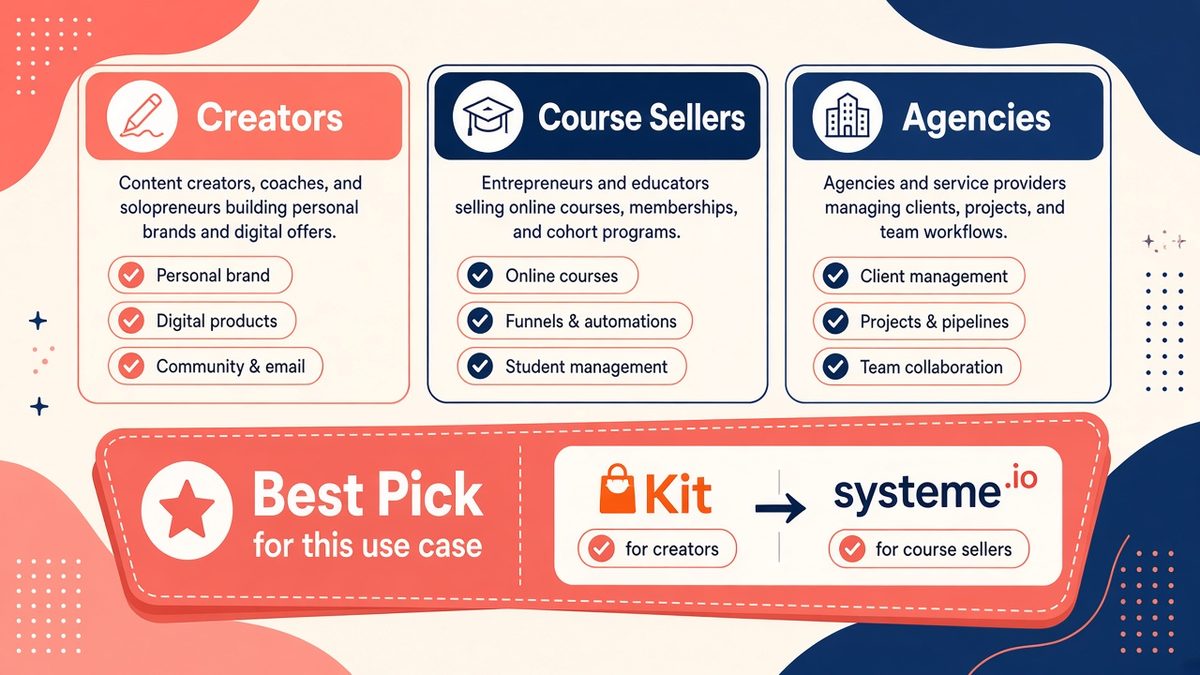
Best pick at a glance: Kit for email-first creators, Systeme.io for selling courses and offers through funnels.
This is Systeme.io’s home ground. On one account you can build sales funnels with order bumps and one-click upsells, host courses and memberships, run evergreen webinars, publish a blog, take bookings and sell through Stripe or PayPal. For a solo business owner that can replace a page builder, a course platform and a checkout tool, which is where the real savings come from. My full Systeme.io review covers each feature.
Kit does not try to be a funnel builder. It has landing pages, forms and Kit Commerce for selling digital products, tip jars and paid newsletter subscriptions, but no course hosting and no multi-step funnels. Instead it integrates with tools that do those jobs well. If you already like your course platform or page builder, that is an advantage: Kit stays out of the way.
Pros and cons
Kit pros:
- Generous Free plan up to 10,000 subscribers
- Excellent visual automations and tagging
- Creator growth tools: recommendations, referrals, paid newsletters
- Clean, reply-friendly emails and strong deliverability reporting on Pro
- Integrates with almost every course, shop and page builder
Kit cons:
- Price rises steadily with list size
- No funnels, course hosting or memberships
- Sequences and automations require a paid plan
Systeme.io pros:
- Email, funnels, courses, blog, bookings and checkout in one account
- Flat pricing not tied to subscriber count
- No transaction fees on sales
- Useful Free plan with funnels and a course included
Systeme.io cons:
- Email editor and reporting are basic next to Kit
- Fewer templates and integrations
- Advanced automation branching is more limited
GDPR, data location and compliance
If you have subscribers in the UK or EU, both tools can be run in a GDPR-friendly way, but the defaults differ.
Systeme.io is a French company, which some European businesses prefer for data residency and contracts under EU law. Kit is based in the United States; its privacy policy explains how it processes personal data and the transfer mechanisms it relies on for EU data, so read it against your own obligations. On both platforms you should turn on double opt-in where appropriate, add a clear consent checkbox and link your privacy policy on every form.
This is not legal advice. If you sell to EU customers at scale, have your data processing agreement reviewed.
Migrating between them
Switching later is not painful. Kit offers free migrations from other email platforms on paid plans, and both tools import contacts by CSV with tags. What does not move cleanly is automation logic and funnel pages, so rebuild those by hand. Plan migrations for a quiet week, not a launch week.
Whatever you choose, track list growth, open rate and revenue per subscriber monthly. My free KPI tracker template has a ready-made email tab for this.
My verdict
Kit is the better email marketing tool. Systeme.io is the better business-in-a-box. If your income comes from a newsletter, sponsorships or a paid publication, start with Kit and grow into Creator once you need sequences. If you sell courses, coaching or digital products and want one login, Systeme.io’s free plan lets you build the whole thing before paying a cent.
Still weighing other email tools? See my Kit vs MailerLite comparison or browse all reviews and tool comparisons.
Start Systeme.io free
Free plan: 2,000 contacts, unlimited emails, 3 funnels and 1 course. No credit card required.
Affiliate link. I may earn a commission at no extra cost to you.
Frequently Asked Questions
Is Kit better than Systeme.io for email marketing?
For pure email marketing, yes. Kit has stronger visual automations, segmentation, deliverability reporting and creator growth tools. Systeme.io’s email is good enough for most small businesses and comes bundled with funnels and courses.
Which is cheaper, Kit or Systeme.io?
Systeme.io is usually cheaper once you need automations, because its paid plans start at $17 a month and are not priced per subscriber. Kit Creator starts at $33 a month for 1,000 subscribers and rises as your list grows.
Do both have a free plan?
Yes. Kit Free covers up to 10,000 subscribers with broadcasts, forms and landing pages. Systeme.io Free covers 2,000 contacts with unlimited emails, 3 funnels and 1 course.
Can Systeme.io replace Kit?
For most coaches and course creators, yes. Heavy newsletter publishers who rely on advanced segmentation, paid subscriptions or the Kit creator network will miss Kit’s depth.
Which is better for GDPR?
Both can be used compliantly with double opt-in and consent checkboxes. Systeme.io is EU-based, which some European businesses prefer; Kit is US-based and documents its data transfer safeguards in its privacy policy.
Affiliate disclosure: some links in this post are affiliate links, so I may earn a commission at no extra cost to you. I only recommend tools I’d use myself.