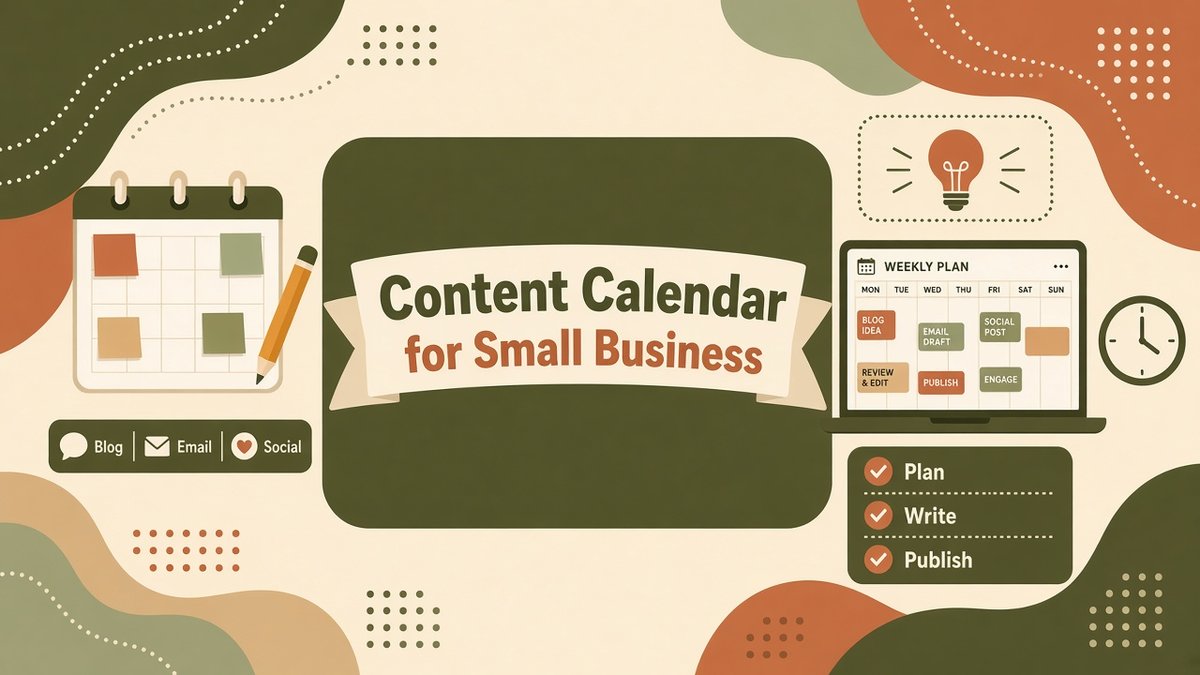
A content calendar is the simplest way to stay consistent with marketing when you are also running a business. It is a plan of what you will publish, where, and when, so you stop starting every week by asking what to post. This guide shows you how to create a content calendar for your small business: pick pillars, choose channels, fill a weekly grid, repurpose one idea across formats and follow a 30-day plan you can copy today.
✔ Key takeaways
⏱ About 8 min read · the short version is right here
- Plan around 3 to 4 content pillars, not random topics; each post should fit one pillar and one goal.
- Start small: one blog post, one email and three social posts a week is enough if you actually publish them.
- Create once, then repurpose: a single blog post can become an email, social posts, a short video and a checklist.
- Review monthly against simple numbers such as sessions, email clicks and enquiries, then keep what works.
📋 In this guide
Why a content calendar beats posting when you feel like it
Posting ad hoc feels flexible, but it usually means long gaps, rushed posts and content that does not connect to what you sell. A calendar fixes three things: consistency, because people learn when to expect you; focus, because every post has a purpose; and speed, because you batch the work instead of starting from zero each day.
It also connects your channels. Your calendar should tell you which blog post feeds Thursday’s email and which social posts point back to it. That joins up with your marketing plan: the plan sets goals, and the calendar schedules the work.
📌 What a content calendar is not
It is not a rigid contract. Leave one or two open slots each month for news, customer questions and ideas that come up. Consistency matters more than perfection.
How to build your content calendar in six steps
Set one goal for the quarter
Pick a single outcome, such as 30 new email subscribers a month or 10 enquiries from the blog. Every item on the calendar should support it.
Know your audience questions
List the 20 questions customers ask most. Use search data too; my guide to keyword research for small business shows how to find topics people actually search for.
Pick channels you can maintain
Choose one owned channel (blog or email) and one or two social platforms where your customers spend time. A local business should add a Google Business Profile post to the mix; see local SEO for small business.
Set a realistic rhythm
Decide how often you can publish for the next 90 days. Halve your first answer. Missing a calendar is worse than a modest one.
Fill the calendar in batches
Plan a month at a time and write or record in batches. Assign each item a pillar, format, channel, owner and publish date.
Review and adjust monthly
Look at views, clicks, replies and enquiries. Double down on the pillars that bring results and retire the ones that do not.
💡 Start from your search plan
If SEO is a priority, build blog topics from your SEO plan and keyword list first, then add email and social around them.
Choose 3 to 4 content pillars
Pillars are the 3 to 4 themes your business is known for. They keep your content varied but on-brand. Here is an example for a small coaching or service business (illustrative, adapt it to your own):
🎓
Educate
How-to guides and answers to common questions that build trust and search traffic.
💬
Prove
Case studies, results and customer stories (real ones, with permission).
👤
Connect
Behind the scenes, your story and values so people feel they know you.
💰
Sell
Offers, launches and clear calls to action, roughly one post in five.
Next, build an ideas bank under each pillar. Keep a running list in your spreadsheet and add to it whenever a customer asks a question, a sales call raises an objection or you notice a trend in your industry. Aim for 10 ideas per pillar so you never face a blank page. Then mark the key dates that matter to your business: seasonal peaks, product launches, trade events, holidays in the US, UK and EU, and tax deadlines. Block those on the calendar first and plan the rest around them.
💡 The 4-1 rule of thumb
A common approach is four helpful posts for every one promotional post. It is a guideline, not a law; adjust it to what your audience responds to.
A weekly content calendar template
Here is a simple weekly grid for a one-person business. It is an illustrative template, not a benchmark. Copy it into a spreadsheet and change the days to suit you.
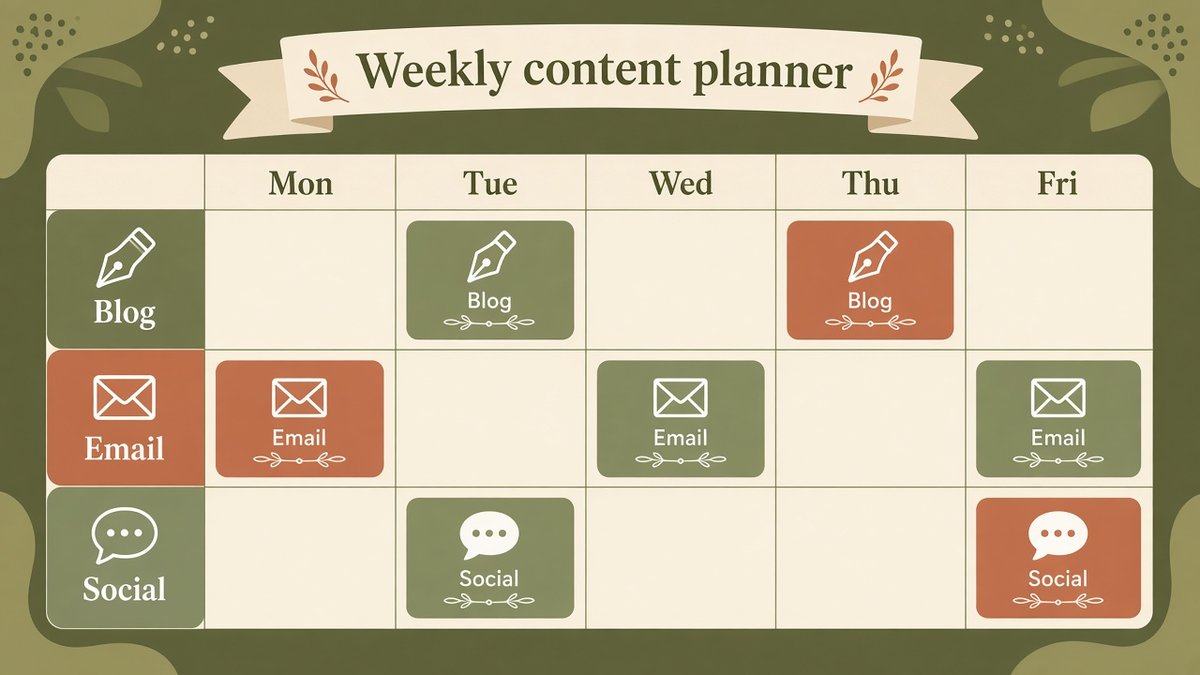
Illustrative weekly content planner grid showing blog, email and social slots; adapt it to your own channels.
| Day | Channel | Pillar | Content idea (example) | Goal |
|---|---|---|---|---|
| Mon | Blog | Educate | Publish the main how-to post | Search traffic |
| Tue | Social | Educate | Three tips from Monday’s post | Reach |
| Wed | Social | Connect | Behind-the-scenes photo or short story | Trust |
| Thu | Educate / Sell | Newsletter linking to the blog post | Clicks and replies | |
| Fri | Social | Prove | Customer result or quote (with permission) | Trust |
| Weekend | Plan | n/a | Pick next week’s topic and batch captions | Consistency |
Add columns for status (idea, drafted, scheduled, published), link and notes. If you send a newsletter every week, how to start a newsletter explains the setup, and your welcome email sequence should be running in the background so new subscribers get a proper introduction.
Repurpose one idea into many posts
The fastest way to keep a calendar full is to stop treating each channel as separate work. Start with one substantial piece, usually a blog post, and break it down.
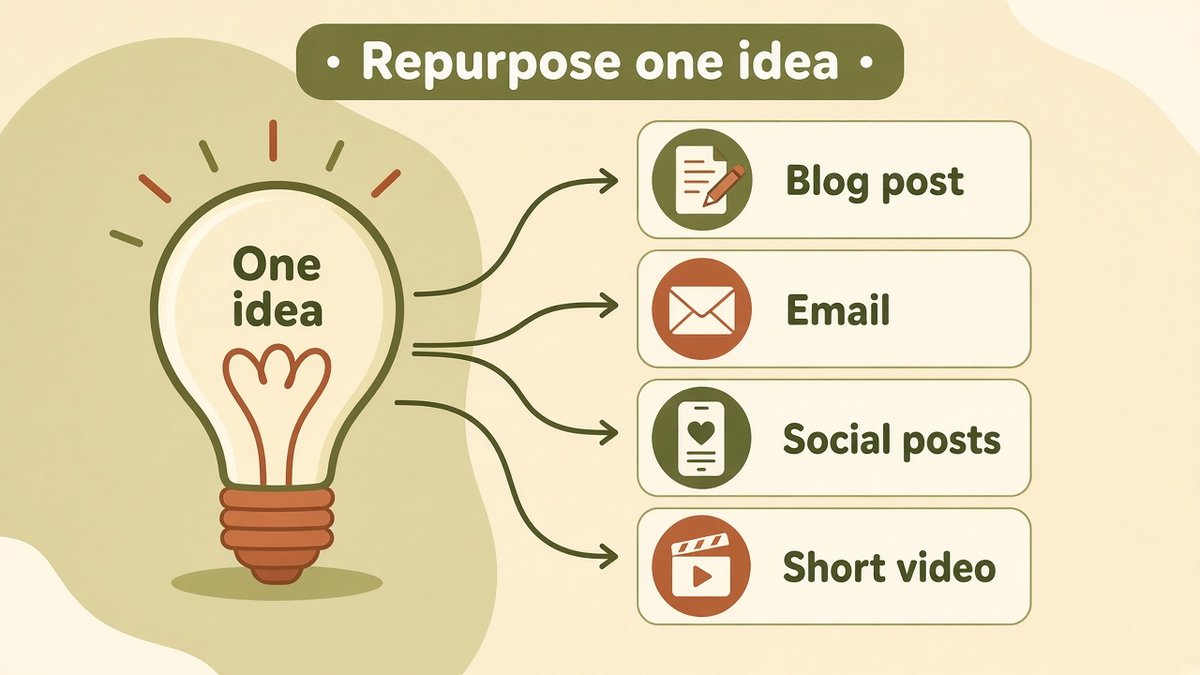
Illustrative repurposing flow: one blog post becomes an email, social posts, a short video and a checklist.
1,200 to 1,800 words
Summary plus one link
3 to 5 short posts
60-second tip
Checklist or template
A 1,500-word guide might give you five tips for social posts, one story for your newsletter intro, a short video answering the main question and a one-page checklist subscribers can download. That is a week of content from one idea.
⚠️ Mind disclosures and consent
If a calendar slot features an affiliate link, a sponsored post or a gifted product, label it clearly (FTC guidance in the US, ASA and CAP rules in the UK). For email, only send to people who opted in, and include an unsubscribe link, as required by GDPR and PECR in the UK and EU and CAN-SPAM in the US. General information, not legal advice.
Your first 30 days, week by week
Use this plan for your first month. It assumes about five hours a week.
| Week | Focus | Output |
|---|---|---|
| Week 1: Set up | Goal, audience questions, pillars, channels, spreadsheet | Calendar template and 12 topic ideas |
| Week 2: Batch | Write the first two blog posts and two newsletters | Four drafts, scheduled |
| Week 3: Repurpose | Turn posts into social snippets, one video and one checklist | 10 social posts, 1 video, 1 lead magnet |
| Week 4: Review | Check numbers, rewrite weak headlines, plan next month | Updated calendar for month 2 |
Track what you publish alongside your other small business KPIs. Good starting numbers are traffic to the blog, email sign-ups and enquiries that mention your content.
Tools for your content calendar
Any tool you will open every week is the right one. Spreadsheets such as Google Sheets and Excel are enough to start. Notion and Trello suit visual planning with boards, and Buffer and Later help schedule social posts. For blog and email scheduling, Systeme.io lets you write blog posts and email campaigns and schedule them in the same account; its Free plan covers 2,000 contacts and unlimited email sends, with paid plans from $17 a month (checked on its pricing page on 6 November 2026). If your main focus is a newsletter, Kit has visual automations built for creators. See my email marketing guide for how email fits in.
| Tool type | Examples | Best for |
|---|---|---|
| Spreadsheet | Google Sheets, Excel | Starting simply, full control |
| Board or database | Notion, Trello, Airtable | Visual workflows, team handoffs |
| Social scheduler | Buffer, Later, Meta Business Suite | Scheduling social posts |
| Blog and email | Systeme.io, Kit, WordPress | Publishing blog posts and newsletters in one place |
Schedule your blog and emails in one place
Use a free Systeme.io account to plan, write and schedule your blog posts and email campaigns, then upgrade only when you outgrow the free limits.
Affiliate link. I may earn a commission at no extra cost to you.
Common mistakes to avoid
- ☑ Planning too much: a calendar you cannot follow gets abandoned in two weeks
- ☑ Only selling: fill most slots with helpful content
- ☑ No owner or date: every item needs a person and a publish time
- ☑ Ignoring data: review monthly and drop what does not work
- ☑ Not repurposing: making every post from scratch burns you out
Frequently Asked Questions
How far ahead should I plan a content calendar?
Plan one month in detail and sketch the next two or three months by theme. This gives you direction without locking you in.
How often should a small business post?
There is no universal answer. A realistic baseline is one blog post and one email a week plus two or three social posts. Consistent beats frequent.
What should I include in a content calendar?
Publish date, channel, pillar, topic or headline, format, owner, status and a link. Add a goal column if you want to measure results.
What is the best tool for a content calendar?
The one you will open every week. Google Sheets is perfect for starting out; Notion or Trello suit visual planners, and a social scheduler helps once you post regularly.
How do I come up with content ideas?
Collect customer questions, search keywords, sales call objections and your own past results. Group them under your pillars and keep an ideas list you can pull from.
Is a content calendar the same as an editorial calendar?
Mostly. An editorial calendar usually refers to a publication schedule of articles; a content calendar also includes email, social and video across channels.
Affiliate disclosure: some links in this post are affiliate links, so I may earn a commission at no extra cost to you. I only recommend tools I’d use myself.