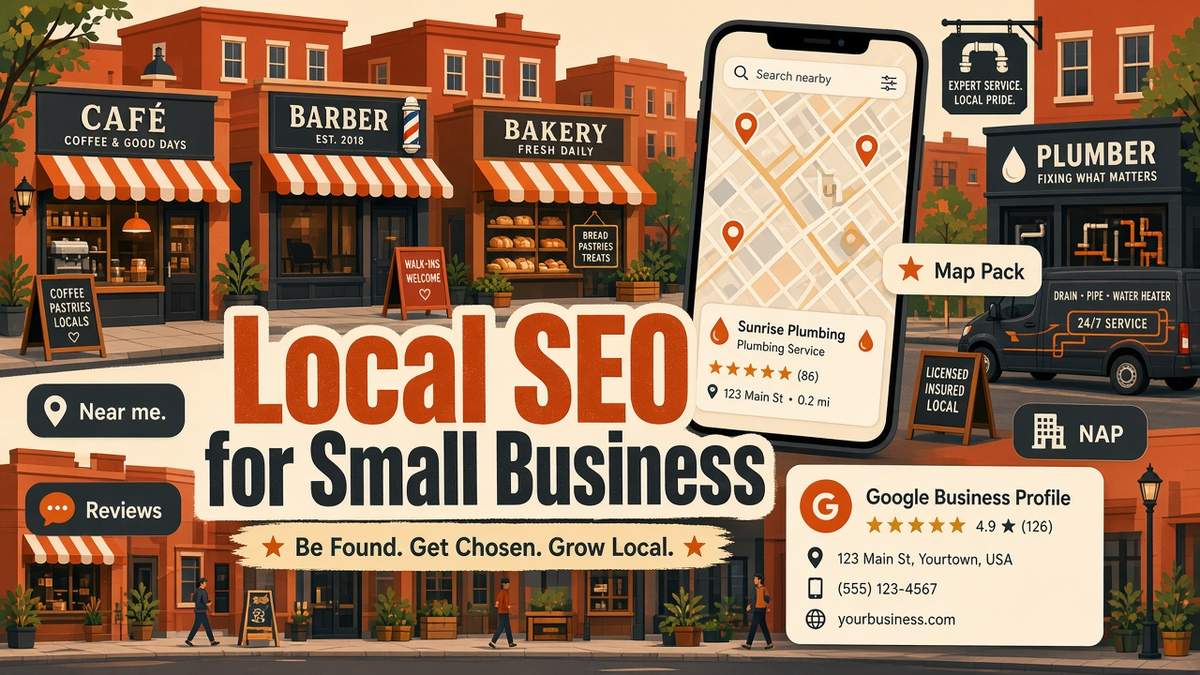
Local SEO for small business is the fastest way to get found by customers who are ready to buy near you. When someone searches “plumber near me”, “best coffee in Leeds” or “accountant Austin”, Google shows a map with three businesses and a list of local results. If your shop, clinic or service business is not in those spots, the call usually goes to a competitor. The good news is that local search is less crowded than national SEO, and most of the work is free. In this guide, I show you exactly how to set up your Google Business Profile, earn reviews, fix your citations and build local pages, with examples for businesses in the US, UK and Europe.
Want to compare tools before you choose? Browse my honest software reviews.
Disclosure: this post contains affiliate links. If you buy through them, I may earn a commission at no extra cost to you.
✔ Key takeaways
- Local SEO helps you appear in the Google map pack and local results when people search near you.
- Google ranks local results mainly on relevance, distance and prominence.
- Your Google Business Profile is the single most important local ranking asset, and it is free.
- Steady, genuine reviews and owner replies build both rankings and trust.
- Keep your business name, address and phone number (NAP) identical everywhere online.
- Track calls, direction requests and map rankings, not just website traffic.
📋 In this guide
- What is local SEO?
- Why local SEO matters for small businesses
- How Google ranks local businesses
- Local SEO for small business: 9 steps
- How to get more reviews (the right way)
- Citations and NAP consistency
- Free and paid local SEO tools
- How to measure local SEO results
- Common local SEO mistakes
- Frequently Asked Questions
- Final thoughts
What is local SEO?
Local SEO (local search engine optimisation) is the work of helping your business show up when people search for products or services in a specific area. It covers your Google Business Profile, Apple Business Connect and Bing Places listings, your reviews, local directory listings, and the location signals on your own website.
Regular SEO tries to rank a page for everyone. Local SEO tries to rank a business for people nearby. That difference matters, because a small bakery does not need to beat a national chain across the country. It only needs to win the searches made within a few miles of its door.
Why local SEO matters for small businesses
Local searches are often the closest thing to a buying signal you will ever see. Someone searching “emergency electrician near me” at 9 pm is not doing research. They want to call someone now. Ranking in the map pack puts your phone number, opening hours, photos and reviews in front of that person before they even visit a website.
| Business type | Typical local search | What a top result brings |
|---|---|---|
| Trades and home services | “boiler repair Manchester” | Phone calls and quote requests |
| Restaurants and cafes | “brunch near me” | Direction requests and walk-ins |
| Clinics and salons | “physio Dublin 4” | Online bookings |
| Professional services | “tax accountant Denver” | Consultation enquiries |
| Retail shops | “bike shop open now” | Store visits and click-and-collect orders |
Even service-area businesses with no public shopfront, such as cleaners, mobile mechanics or consultants, can rank locally by setting a service area instead of showing an address.
How Google ranks local businesses
Google says local results are based mainly on three things. Understanding them stops you wasting time on tactics that do not move the needle.
- Relevance: how well your profile and website match the search. Your primary category, services and descriptions matter most here.
- Distance: how far your business is from the searcher or the location in the search. You cannot change this, but you can make your location clear.
- Prominence: how well known and trusted your business is. Reviews, ratings, links, citations, press mentions and your general SEO strength all feed into it.
📌 Keyword stuffing backfires
Adding keywords to your business name, such as “Smith Plumbing – Best Cheap Plumber London”, breaks Google’s guidelines and can get your profile suspended. Use your real-world business name only.
Local SEO for small business: 9 steps
Claim and verify your Google Business Profile
Search for your business on Google or go to Google Business Profile and claim it. Verification may be by video, phone, email or postcard. Until you verify, you cannot control what appears.
Choose the right primary category
Your primary category is one of the strongest relevance signals. Pick the most specific option, such as “Italian restaurant” rather than “Restaurant”. Add a few secondary categories only if they truly apply.
Complete every section
Add opening hours (including holiday hours), phone, website, services with short descriptions, products, attributes, a booking link and a 750-character description written for customers. Complete profiles get more actions.
Add real photos every month
Upload your shopfront, interior, team and work. Real photos help people recognise you and show that the business is active. Avoid stock images.
Publish Google posts
Share offers, events, new products and updates as posts. They keep your profile fresh and give searchers another reason to choose you.
Build location and service pages
On your website, create one page per core service and, if you serve several towns, one useful page per area. Include real details: local projects, landmarks, parking, prices and FAQs. Avoid thin copy-paste pages with only the town name changed.
Add local schema markup
Use LocalBusiness structured data on your homepage or contact page with your name, address, phone, hours and geo-coordinates. Yoast and other SEO plugins can help, or you can add JSON-LD manually.
Earn reviews and reply to them
Ask happy customers for a review every week, and reply to every review, good or bad. More on this below.
Build local links and citations
Get listed in trusted directories and earn links from local sources: chambers of commerce, suppliers, sponsorships, local news and community blogs.

A complete Google Business Profile with the right category, hours, photos and reviews is the foundation of local SEO.
💡 Do keyword research first
Before writing service and area pages, check what customers actually type. My guide to keyword research for small business walks through free and paid methods, including local modifiers like “near me” and town names.
How to get more reviews (the right way)
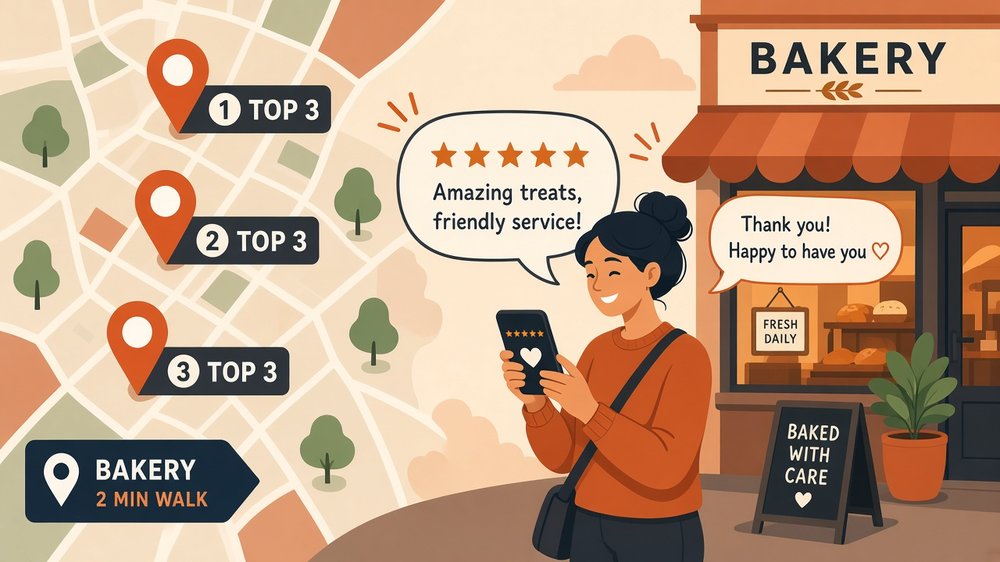
Steady five-star reviews and friendly owner replies build trust and help you stand out in the local map pack.
Reviews influence both rankings and clicks. A business with 120 recent reviews at 4.7 stars usually wins the click over one with 8 reviews from three years ago. Here is a simple system that works without breaking any rules:
- Ask at the happy moment: right after a job is finished, a meal is praised or a problem is solved.
- Make it easy: share your direct review link by text, email, receipt, QR code at the till or a card in the package.
- Ask everyone: do not filter only happy customers. Selective asking (review gating) is against Google’s policies.
- Never pay or offer incentives: discounts for reviews break Google’s rules, and in the UK the Digital Markets, Competition and Consumers Act and in the US the FTC rule on fake reviews make fake or incentivised reviews a legal risk.
- Reply to every review: thank people by name, mention the service and respond calmly to complaints with a way to fix the issue offline.
⚠️ Handle negative reviews professionally
Never argue in public. Apologise for the experience, state facts briefly and invite the customer to contact you directly. Future customers judge how you respond more than the complaint itself.
Citations and NAP consistency
A citation is any online mention of your business name, address and phone number (NAP), such as Yelp, Apple Maps, Bing Places, Facebook, Yell in the UK, Pages Jaunes in France or Gelbe Seiten in Germany. Google uses these to confirm that your business is real and where it is.
The key is consistency. If one site says “Unit 4, 12 High St” and another says “12 High Street”, with an old phone number, it creates doubt. Pick one exact format and use it everywhere, including your website footer and contact page.
| Citation source | Region | Priority |
|---|---|---|
| Google Business Profile | Global | Essential |
| Apple Business Connect | Global | High (powers Apple Maps and Siri) |
| Bing Places | Global | High (also feeds some AI assistants) |
| Facebook, Instagram, LinkedIn pages | Global | High |
| Yelp, BBB, Nextdoor | US | Medium to high |
| Yell, Thomson Local, Checkatrade | UK | Medium to high |
| Pages Jaunes, Gelbe Seiten, Paginas Amarillas | EU | Medium |
| Industry directories | Varies | High for relevance |
Free and paid local SEO tools
You can do a lot with free tools: Google Business Profile insights, Google Search Console, Google Analytics, Bing Places and Apple Business Connect are all free. A spreadsheet is enough to track citations when you are starting out.
When you want to track map rankings across your area, audit your site and spy on local competitors, a paid tool saves hours. I use SE Ranking for this because it combines rank tracking (including local and map positions), a website audit, keyword research and competitor research in one dashboard at a lower price than most big-name suites. When I last checked its pricing page in late October 2026, the Core plan was $129 per month or $103.20 per month billed yearly, with a 14-day free trial, and it offers a separate local marketing add-on for managing listings and reviews.
| Tool | Cost | Best for |
|---|---|---|
| Google Business Profile | Free | Managing your listing, posts, photos and reviews |
| Google Search Console | Free | Seeing which local searches bring clicks to your site |
| Bing Places / Apple Business Connect | Free | Extra map visibility beyond Google |
| SE Ranking | From $103.20/month (annual), free trial | Local rank tracking, site audits and competitor research |
| Spreadsheet | Free | Tracking citations, review requests and monthly KPIs |
For a deeper look at your rivals, see my step-by-step competitor analysis for small business guide, which includes a keyword gap method that works well for local service pages.
⚠️ Prices change
Tool prices are shown in USD and may change or exclude VAT for UK and EU buyers. Always check the official pricing page before buying.
How to measure local SEO results
Local SEO success is measured in customers, not just rankings. Review these numbers every month:
| Metric | Where to find it | Why it matters |
|---|---|---|
| Calls from your profile | Google Business Profile performance | Direct leads from search and Maps |
| Direction requests | Google Business Profile performance | Shows intent to visit your location |
| Website clicks | Google Business Profile and Analytics | Traffic from your listing |
| Map pack position | A local rank tracker | How visible you are for key searches |
| Review count and average rating | Your profile | Trust and prominence over time |
| Local organic clicks | Google Search Console | How your service and area pages perform |
Add these to your monthly dashboard alongside your other small business KPIs so you can connect search visibility to real revenue.
Common local SEO mistakes
- Using a virtual office or PO box as your address: Google can suspend these listings. Use a real location or set a service area.
- Wrong or vague primary category: it is one of the biggest relevance signals.
- Inconsistent NAP: old addresses and phone numbers on directories confuse search engines and customers.
- Ignoring reviews: unanswered complaints cost you clicks for years.
- Thin location pages: 20 near-identical town pages can hurt more than help.
- Set and forget: profiles that never get new photos, posts or reviews slowly lose ground to active competitors.
Frequently Asked Questions
How long does local SEO take to work?
Profile fixes such as the right category and complete information can show results in a few weeks. Building reviews, citations and local links usually takes three to six months to make a clear difference in competitive areas.
Is local SEO free?
Most of it is. Google Business Profile, Apple Business Connect, Bing Places and core directories are free. You only pay if you choose tools, a website upgrade or help from an agency.
Can I do local SEO without a physical address?
Yes. Service-area businesses can hide their address in Google Business Profile and set the towns or regions they serve instead.
How many reviews do I need to rank in the map pack?
There is no fixed number. Aim to match or beat the top three competitors in your area and keep reviews coming steadily every month, rather than getting many at once.
Do I need a website for local SEO?
You can rank with only a Google Business Profile, but a website with clear service and location pages makes it much easier to rank, build trust and convert visitors.
What is NAP in local SEO?
NAP stands for name, address and phone number. Keeping it identical on your website, profile and directories helps search engines trust your business details.
Final thoughts
Local SEO for small business comes down to a few habits done consistently: a complete and active Google Business Profile, a steady flow of genuine reviews with thoughtful replies, consistent NAP details across the web and helpful service and location pages on your website. None of it needs a big budget, but it does need regular attention.
Your next step: claim or open your Google Business Profile today, check your primary category and hours, and ask your last five happy customers for a review. If you are planning your wider strategy, my guide on how to write a marketing plan shows how local search fits with your other channels.
Track your local rankings and beat nearby competitors
SE Ranking gives you local rank tracking, a site audit and competitor research in one place, with a 14-day free trial.
Try SE Ranking free →Affiliate link. I may earn a commission at no extra cost to you.
Affiliate disclosure: some links in this post are affiliate links, so I may earn a commission at no extra cost to you. I only recommend tools I’d use myself.