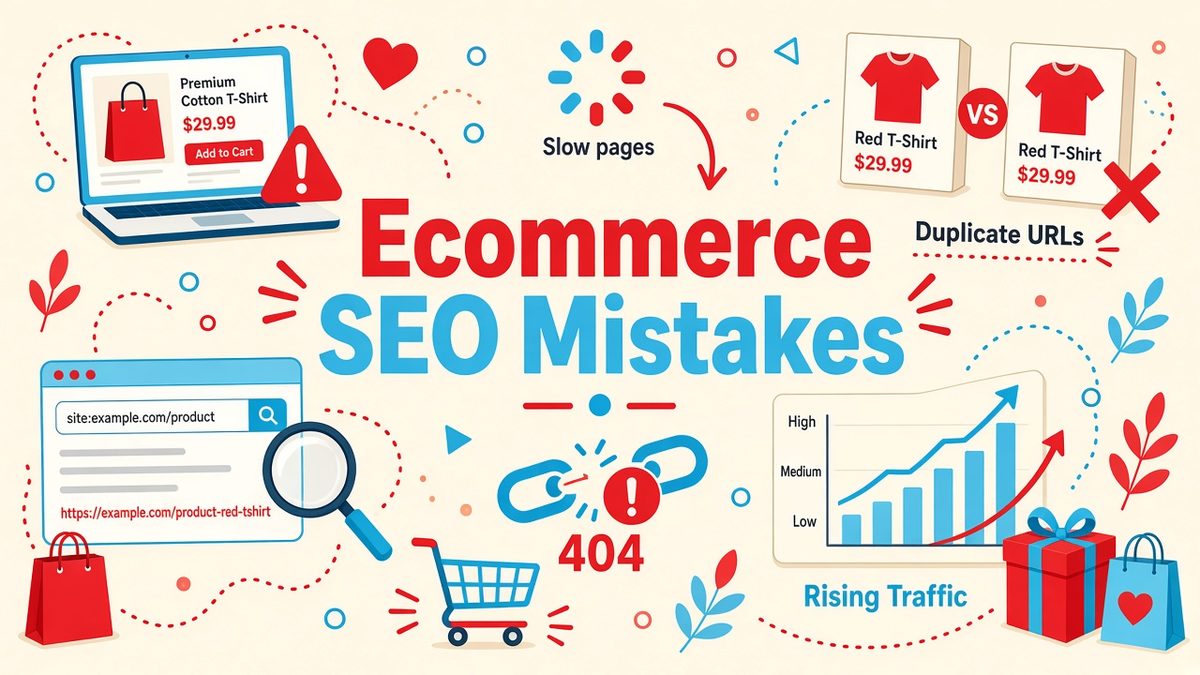
Ecommerce SEO mistakes quietly cost online stores sales every day. A slow product page, a thin category description or a pile of duplicate URLs can keep your shop off page one of Google, even when your products are better and cheaper than the competition. The good news is that most of these problems are easy to spot and fix once you know where to look. In this 2026 guide you will learn the 10 most common ecommerce SEO mistakes, why they hurt your rankings and revenue, and a simple 6-step audit to fix them on Shopify, WooCommerce or any other platform.
✔ Key takeaways
- Most ecommerce SEO mistakes are technical or content problems you can find with a site audit in under an hour.
- Slow pages, duplicate product URLs and thin category pages are the three issues that hurt online stores most.
- Write unique product descriptions; copying manufacturer text makes your pages look like hundreds of others.
- Use product and review schema so Google can show price, stock and star ratings in search results.
- Out-of-stock and discontinued products should be handled with care: keep, redirect or retire them, never leave a 404 maze.
- Run a full store audit every quarter and track your main product and category keywords every week.
📋 In this guide
Why ecommerce SEO matters more than ever
Paid ads get more expensive every year, and marketplaces take a cut of every sale. Organic search is one of the few channels that keeps sending buyers to your own store without a cost per click. People who search for a specific product, such as “waterproof hiking boots for women”, are often ready to buy. If your page ranks for that search, you win high-intent traffic month after month.
Ecommerce sites are also harder to optimise than a simple blog. They have hundreds or thousands of product pages, filters that create endless URL variations, products that go out of stock and descriptions that often come straight from a supplier. Each of those features creates room for mistakes. If you are new to the wider shift to online selling, my guide to the rise of e-commerce explains why so many small brands now compete online.
10 ecommerce SEO mistakes to avoid
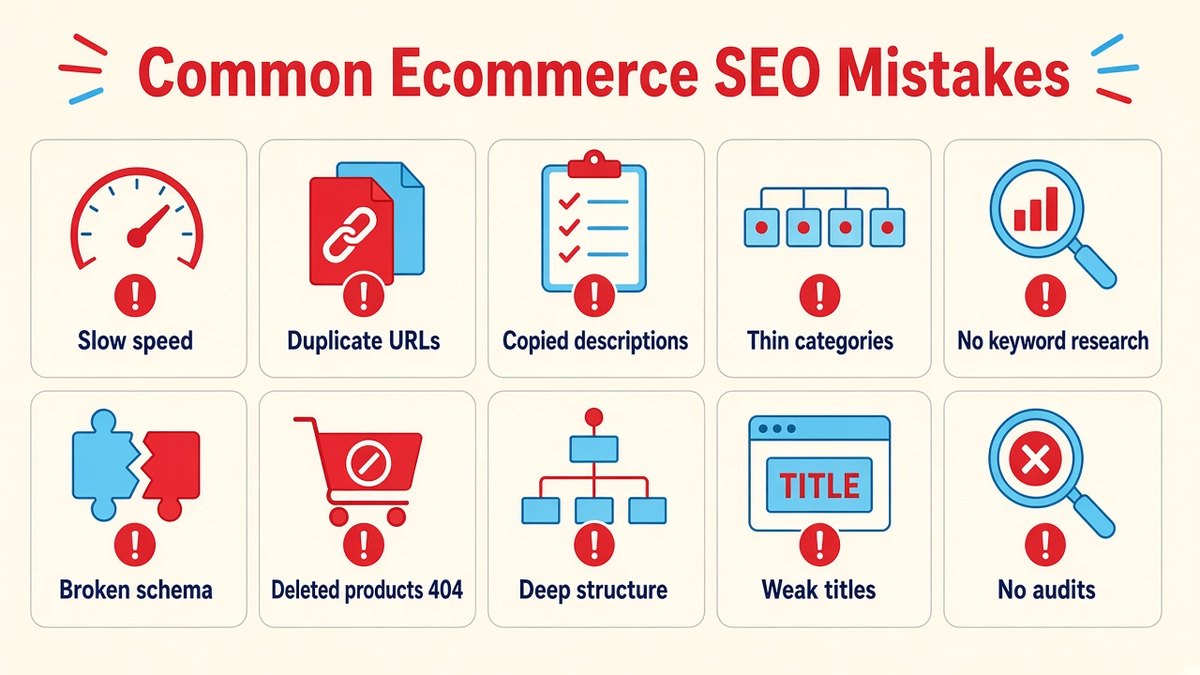
The most common ecommerce SEO mistakes: slow pages, duplicate URLs, thin content, missing schema and broken links.
1. Slow page speed and poor Core Web Vitals
Shoppers leave slow stores, and Google uses page experience signals, including Core Web Vitals, as part of its ranking systems. Heavy product photos, too many apps or plugins and cheap hosting are the usual causes. Aim for Largest Contentful Paint under 2.5 seconds, Interaction to Next Paint under 200 milliseconds and Cumulative Layout Shift under 0.1. Compress images to WebP, lazy-load images below the fold and remove apps you no longer use. Test your key templates (home, category and product) in Google PageSpeed Insights, not only the homepage.
2. Duplicate content from filters and product variants
Sorting, filtering and colour or size variants can create thousands of near-identical URLs such as ?color=red&sort=price. Google then wastes crawl budget and may pick the wrong version to rank. Use canonical tags pointing to the main product or category URL, keep filter pages you do not want indexed out of the index, and make sure each product lives at one clean URL even if it appears in several categories.
💡 Quick tip
On Shopify, a product reached through a collection can appear at /collections/name/products/item as well as /products/item. Check that your theme links to the clean /products/ URL and that the canonical tag points there.
3. Copying manufacturer product descriptions
If you sell the same item as 200 other retailers and use the supplier’s text, your page offers nothing new. Write your own descriptions that answer real buyer questions: who the product is for, how it fits or works, materials, care and what is in the box. Even 120 to 200 original words plus a short FAQ can set a product page apart.
4. Thin or empty category pages
Category pages often rank for the most valuable, broader keywords such as “men’s running shoes”, yet many stores show only a grid of products. Add a short, helpful introduction above or below the grid, link to related subcategories and buying guides, and use a clear H1 that matches what people search for.
5. Ignoring keyword research for products
Store owners often name products the way the supplier does, not the way customers search. “Model X200 Trail Runner” gets fewer searches than “trail running shoes for wide feet”. Research the terms buyers use and put the main one in the title tag, H1, URL and first lines of the description. My guide to keyword research for small business walks through the process step by step.
6. Missing or broken product schema
Structured data helps Google understand price, availability, brand and reviews, and can make your listing eligible for rich results with stars and price. Many themes add basic Product schema, but it is often incomplete or broken after updates. Validate your product pages with Google’s Rich Results Test and fix missing fields such as offers, availability and aggregateRating.
7. Mishandling out-of-stock and discontinued products
Deleting a product that had backlinks and rankings throws that value away and creates a 404 for shoppers. If an item is temporarily out of stock, keep the page live, mark it unavailable and suggest alternatives. If it is gone for good, 301 redirect it to the closest replacement or its category. Only let a page return 404 or 410 when there is truly no relevant alternative.
⚠️ Watch out
Do not redirect every deleted product to the homepage. Google may treat these as soft 404s, and shoppers who wanted a specific item get confused. Redirect to the closest matching product or category instead.
8. Poor site structure and internal linking
If important products sit five or six clicks from the homepage, search engines and shoppers struggle to find them. Keep a flat structure: home, category, subcategory, product. Add breadcrumbs, link from buying guides to relevant categories and show related products on each product page so link value flows through the store.
9. Weak title tags and meta descriptions
Auto-generated titles like “Product 1234 | Store” waste your most visible search real estate. Write titles that include the main keyword plus a reason to click, for example “Organic Cotton Baby Blanket, Free EU Shipping | BrandName”. Keep meta descriptions benefit-led and specific, mentioning price ranges, delivery or returns where relevant.
10. Never running an SEO audit
Many of these mistakes appear silently after a theme update, a new app or a product import. Without regular audits you only notice when sales drop. A crawler-based audit tool finds broken links, redirect chains, missing tags, duplicate pages and slow URLs across the whole store in one report, so you can fix issues before they hurt revenue.
Ecommerce SEO mistakes: quick fix table
Use this table as a checklist when you review your store. Start with the issues marked high impact.
| Mistake | Impact | How to fix it |
|---|---|---|
| Slow pages / poor Core Web Vitals | High | Compress images, remove unused apps, better hosting or CDN |
| Duplicate filter and variant URLs | High | Canonical tags, keep filter URLs out of the index, one URL per product |
| Copied product descriptions | High | Write original copy and add a short FAQ |
| Thin category pages | Medium | Add an intro, subcategory links and a clear H1 |
| No keyword research | Medium | Use buyer search terms in titles, H1 and URLs |
| Broken product schema | Medium | Validate with the Rich Results Test and fill missing fields |
| Deleted products returning 404 | Medium | Keep, 301 to a close match, or retire with care |
| Deep site structure | Medium | Flat hierarchy, breadcrumbs, related products |
| Generic titles and meta descriptions | Low to medium | Unique, keyword-led titles with a click reason |
| No regular audits | High | Quarterly crawl with SE Ranking or a similar tool |
How to audit your online store in 6 steps
You do not need an agency to find most ecommerce SEO mistakes. Block out an afternoon and follow these steps.
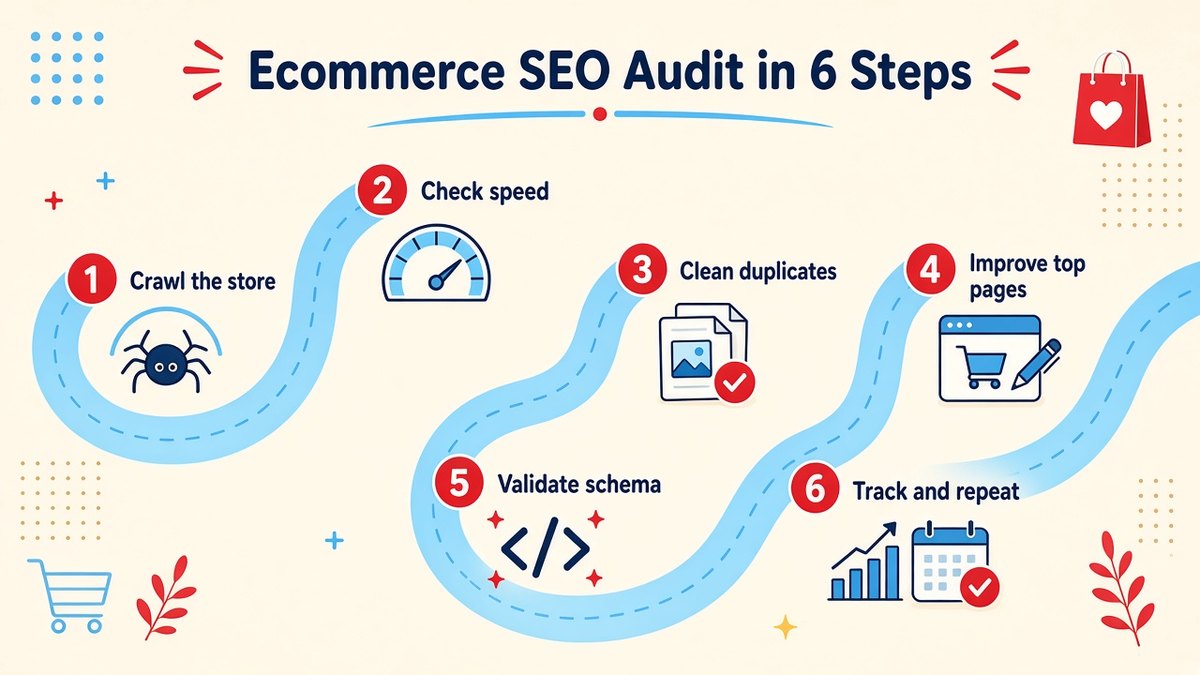
A simple 6-step ecommerce SEO audit: crawl, speed, duplicates, content, schema and tracking.
Crawl the whole store
Run a site audit to list broken links, redirect chains, missing titles, duplicate pages and orphan products. I use SE Ranking for this because its website audit, keyword rank tracker and competitor research sit in one dashboard at a lower price than most big-name suites, and it offers a free trial.
Check speed on key templates
Test one home, category and product page in PageSpeed Insights. Fix the biggest image and script issues first, since one template fix improves every page that uses it.
Clean up duplicates
Review the duplicate and canonical report. Make sure filter, sort and variant URLs point to the main version, and remove internal links to parameter URLs where possible.
Improve top pages first
Pick your 10 best-selling products and 5 main categories. Rewrite descriptions, add category intros and tighten title tags around real search terms.
Validate schema
Run product pages through the Rich Results Test. Fix errors in price, availability and review markup so you stay eligible for rich results.
Track and repeat
Track rankings for your main product and category keywords weekly in Google Search Console or a rank tracker, and repeat the full crawl every quarter or after any big theme or app change.
📊 Good to know
Google Search Console is free and shows which queries already bring impressions to your store. Pages with many impressions but a low click-through rate are often fixed quickly with a better title tag.
Choosing an SEO tool for your store? See my honest comparisons and tool reviews in the Reviews section.
Frequently Asked Questions
What are the most common ecommerce SEO mistakes?
The most common ecommerce SEO mistakes are slow page speed, duplicate URLs from filters and variants, copied manufacturer descriptions, thin category pages, missing product schema and deleting out-of-stock products without a redirect.
How do I check my online store for SEO problems?
Run a site audit with a crawler such as SE Ranking, Screaming Frog or a similar tool, then check speed in PageSpeed Insights and indexing in Google Search Console. Fix high-impact issues on your best-selling pages first.
Should I delete out-of-stock products?
Usually no. Keep temporarily out-of-stock pages live with alternatives shown. For permanently discontinued items, 301 redirect the URL to the closest replacement product or the parent category.
Do product descriptions really affect SEO?
Yes. Unique, helpful descriptions give Google a reason to rank your page over the many stores using the same supplier text, and they also help shoppers decide, which improves conversions.
How often should I do an ecommerce SEO audit?
Run a full crawl at least once a quarter and after any major change such as a new theme, platform migration or large product import. Track key rankings weekly.
Is Shopify or WooCommerce better for SEO?
Both can rank well. Shopify is simpler to manage but has fixed URL structures, while WooCommerce gives more control but needs good hosting and plugin care. Avoiding the mistakes in this guide matters more than the platform.
Final thoughts
Most ecommerce SEO mistakes are not dramatic. They are small leaks, such as a slow template, a duplicate URL or a copied description, that add up across hundreds of pages. Fix the high-impact issues on your best pages first, then build a habit of auditing every quarter. Over time, your store earns more organic traffic and relies less on paid ads.
Your next step: run a crawl of your store this week, pick the five biggest problems and fix them on your top-selling products and categories.
Find and fix your store’s SEO mistakes
SE Ranking audits your whole online store, tracks product and category rankings and shows what competitors rank for, all in one dashboard.
Affiliate link. I may earn a commission at no extra cost to you.
Affiliate disclosure: the SE Ranking links in this post are affiliate links. If you sign up through them, I may earn a commission at no extra cost to you.