pCloud vs Google Drive vs Dropbox is the cloud storage comparison most small businesses and freelancers end up making in 2026, and the right answer depends on three things: how long you plan to keep your files, how much privacy you need, and how your team works together. In this head-to-head guide I compare pricing, the lifetime versus subscription math over five years, encryption and GDPR, EU data regions, sync speed and file sharing, so you can pick the right cloud storage for your business without overpaying.
✔ Key takeaways
⏱ About 9 min read · the short version is right here
- Google Drive is the best choice if your team already lives in Gmail, Docs and Sheets; Google Workspace starts at $7 per user per month.
- Dropbox has excellent sync and strong team controls, with Plus listed at $9.99 a month for 2,000 GB and team plans from $15 per user per month.
- pCloud is the only one of the three that sells lifetime plans: 2 TB for a one-time $499 at the time of writing, which beats a 2 TB subscription after roughly four to five years.
- For privacy, pCloud is Swiss-based, lets you pick an EU (Luxembourg) or US data region at sign-up, and offers client-side encryption as an add-on.
- Whatever you choose, cloud sync is not a backup. Keep a separate backup copy of critical business data.
📋 In this guide
Quick verdict
If you want the short version:
- Choose Google Drive if you need real-time collaboration in Docs, Sheets and Slides and want email, calendar and storage on one bill.
- Choose Dropbox if you share large files with clients, rely on fast desktop sync, or need advanced admin, file locking and long version history.
- Choose pCloud if you want to stop paying every month, care about privacy and EU data storage, or need a large archive for photos, video and client files.
Many small businesses actually combine two: Google Workspace for day-to-day documents and a pCloud lifetime plan as a low-cost archive and second copy of important files.
pCloud vs Google Drive vs Dropbox at a glance
| pCloud | Google Drive | Dropbox | |
|---|---|---|---|
| Free storage | Up to 10 GB | 15 GB (shared with Gmail and Photos) | 2 GB (Basic) |
| Lifetime plan | Yes (500 GB, 2 TB, 10 TB) | No | No |
| Headquarters | Switzerland | USA | USA |
| Data region choice | EU or US at sign-up | Higher Workspace editions only | Business teams, on request |
| Client-side encryption | pCloud Encryption add-on | Higher Workspace editions only | Advanced plan and above |
| Best at | Archive, media, privacy, one-off cost | Collaboration in Docs and Sheets | Sync speed, client file sharing |
| Office editing | Built-in web editors | Docs, Sheets, Slides | Integrates with Microsoft and Google |
📌 Features change often
Plan names and features change regularly. I checked each official pricing page on October 31, 2026, but confirm details before you buy, and note that UK and EU buyers may pay VAT on top.
Pricing compared (October 2026)
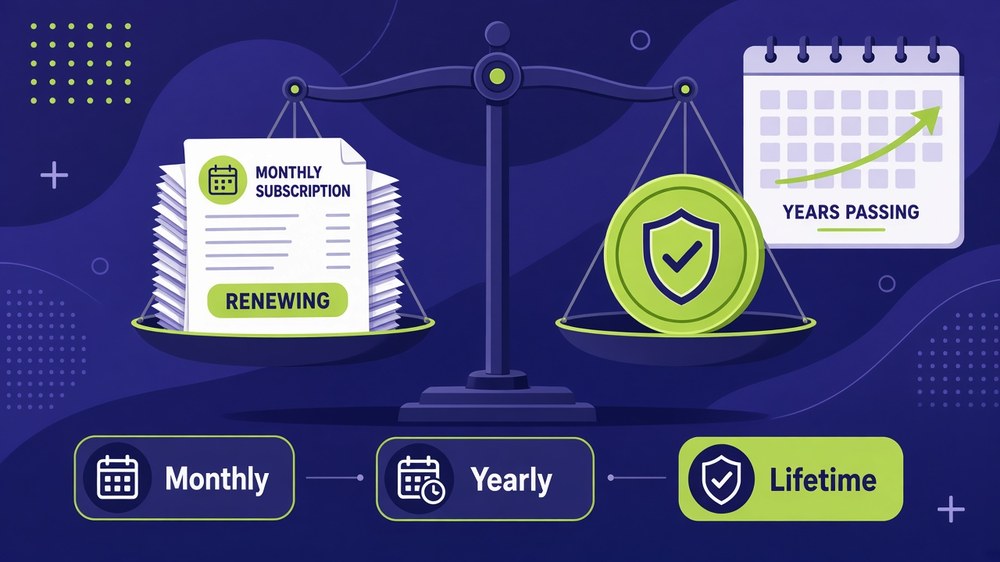
Subscription bills keep renewing, while a lifetime plan is paid once.
Here are the prices listed on each provider’s official pricing page when I checked on October 31, 2026. Prices are in US dollars unless noted.
| Plan | Storage | Price |
|---|---|---|
| pCloud Premium (lifetime) | 500 GB | $219 one-time (list price $279) |
| pCloud Premium Plus (lifetime) | 2 TB | $499 one-time (list price $709) |
| pCloud Ultra (lifetime) | 10 TB | $1,499 one-time (list price $2,799) |
| pCloud annual | 500 GB / 2 TB / 10 TB | 49.99 / 99.99 / 299.99 a year (listed in EUR in pCloud’s plan data) |
| Google One Basic | 100 GB | $1.99 a month |
| Google AI Plus (Google One) | 2 TB | $9.99 a month |
| Google Workspace Business Starter / Standard / Plus | 30 GB / 2 TB / 5 TB per user | $7 / $14 / $22 per user a month |
| Dropbox Plus | 2,000 GB, 1 person | $9.99 a month |
| Dropbox Standard | From 3,000 GB per team | $15 per user a month |
| Dropbox Advanced | From 15,000 GB per team, 3+ users | $24 per user a month |
Google was also showing a limited-time 30% discount for the first three months of Workspace, and pCloud’s lifetime prices were discounted from list price. Both kinds of offers come and go, so treat the list prices as the long-term cost.
Lifetime vs subscription: the 5-year math
This is where pCloud is genuinely different. Google Drive and Dropbox are pure subscriptions, so the cost never stops. pCloud lets you pay once for a fixed amount of storage. Here is a simple five-year comparison for roughly 2 TB for one person, using the prices above and assuming they stay flat:
| Option | Year 1 | Year 3 | Year 5 | Year 8 |
|---|---|---|---|---|
| pCloud 2 TB lifetime | $499 | $499 | $499 | $499 |
| pCloud 2 TB annual (99.99/yr) | ~$100 | ~$300 | ~$500 | ~$800 |
| Google One 2 TB ($9.99/mo) | ~$120 | ~$360 | ~$599 | ~$959 |
| Dropbox Plus 2,000 GB ($9.99/mo) | ~$120 | ~$360 | ~$599 | ~$959 |
The lifetime plan breaks even against a $9.99 monthly subscription in a little over four years, and everything after that is savings. For a business that keeps project files, contracts and media for seven years or more (common for tax and legal records), that adds up.
⚠️ The honest catch
A lifetime plan is a bet that the company will be around for the long term. pCloud has operated since 2013, but no provider is guaranteed forever. Storage is also fixed, so if you outgrow 2 TB you need to upgrade. That is one more reason to keep a second copy of critical files, as I explain in how to back up business data.
If the math works for you, see the current pCloud lifetime plans and compare the 500 GB, 2 TB and 10 TB options.
Privacy, encryption and GDPR

Privacy matters: data region, client-side encryption and GDPR all affect where and how your files are stored.
All three providers encrypt files in transit and at rest. The bigger differences are who can hold the keys, where the data physically lives and which jurisdiction applies.
pCloud
Swiss company with a choice of EU (Luxembourg) or US data centres when you create your account. Its optional pCloud Encryption add-on is client-side and zero-knowledge, so even pCloud cannot read files in your encrypted folder. Strong fit for EU and UK businesses that want EU-based cloud storage.
Google Drive
Data is encrypted, and Google offers GDPR terms and a data processing agreement for Workspace customers. Data region controls and client-side encryption are limited to higher-tier Workspace editions, and consumer Google One accounts do not get them.
Dropbox
Strong encryption and admin controls. End-to-end encryption and ransomware detection are included on the Advanced plan, and Dropbox offers EU data storage for some business teams. Version history ranges from 30 days on Plus to one year on Advanced.
💡 GDPR checklist for any provider
Sign the provider’s data processing agreement, enable two-factor authentication for every user, restrict who can create public links, and record where personal data is stored. Strong passwords matter too; see my guide to password security for small business.
Sync, sharing and collaboration
Sync and sharing are where you feel the difference every day.
- Dropbox has the most mature desktop sync, handling large folders and frequent changes smoothly. It also adds file transfers (up to 100 GB on team plans), password-protected links, link expiry and file locking on Standard and above.
- Google Drive wins at live collaboration. Several people can edit one document at the same time, with comments and suggestions, and sharing is tied to Google accounts, which makes permission control simple inside a Workspace domain.
- pCloud works as a virtual drive (pCloud Drive) that shows your cloud files without filling your laptop, plus selective sync, file requests, branded share links and password-protected links. It also has built-in streaming for audio and video, which is handy for creators.
For distributed teams, the collaboration style often decides it. If your team edits documents together every day, Google Drive is hard to beat. I cover the rest of the tool stack in how to manage a remote team.
Which one should you choose?
| Your situation | Best pick | Why |
|---|---|---|
| Team works in Docs, Sheets, Gmail | Google Drive (Workspace) | Real-time co-editing and one admin console |
| Agency sharing big files with clients | Dropbox | Fast sync, transfers, link controls |
| Freelancer tired of monthly fees | pCloud lifetime | Pay once, own the storage |
| EU/UK business focused on privacy | pCloud (EU region) | Swiss company, EU data centre, client-side encryption |
| Photographer or video creator | pCloud 2 TB or 10 TB | Large lifetime storage plus media streaming |
| Regulated team needing audit logs | Dropbox Advanced or Workspace | Admin roles, audit logs, SSO |
Still comparing more options, including Box and OneDrive? My wider guide to the best cloud storage for small business covers them, and you can browse all my tool reviews.
How to switch without losing files
Audit what you have
List folders, owners and shared links. Delete duplicates before you move anything.
Start the new account
Pick your plan and, with pCloud, choose the EU or US data region carefully because it is set at sign-up.
Migrate in batches
Move one department or client folder at a time with the desktop app, then spot-check file counts and a few large files.
Re-share and update links
Recreate shared folders and update links in proposals, onboarding docs and email templates.
Keep the old account read-only for 30 days
Cancel only after the team confirms nothing is missing.
Frequently Asked Questions
Is pCloud better than Google Drive?
pCloud is better for long-term storage value, privacy and EU data storage because it offers lifetime plans and a choice of EU or US data region. Google Drive is better for real-time collaboration in Docs, Sheets and Slides.
Is pCloud lifetime worth it?
If you will use the storage for more than about four to five years, a lifetime plan usually costs less than a monthly subscription. The trade-off is a large upfront payment and a fixed amount of storage.
Which is more secure, Dropbox or pCloud?
Both encrypt data in transit and at rest. pCloud’s optional client-side encryption means only you hold the key, while Dropbox includes end-to-end encryption on its Advanced team plan.
Is pCloud GDPR compliant?
pCloud is based in Switzerland and lets you store data in the EU (Luxembourg). As with any provider, you are still responsible for your own GDPR obligations, such as a data processing agreement and access controls.
How much free storage do pCloud, Google Drive and Dropbox give?
Google gives 15 GB shared across Gmail, Drive and Photos, pCloud offers up to 10 GB, and Dropbox Basic gives 2 GB.
Can I use pCloud and Google Drive together?
Yes. Many small businesses use Google Workspace for daily documents and a pCloud plan as an archive and a second copy of important files.
Final thoughts
pCloud vs Google Drive vs Dropbox is not about finding one winner. Google Drive is the collaboration hub, Dropbox is the sync and file-sharing specialist, and pCloud is the long-term, privacy-friendly option that lets you pay once. Work out how many years you will store your files, whether EU data storage matters to your clients, and how your team edits documents, and the right choice becomes clear.
Your next step: estimate how much storage you will need over the next five years and run the lifetime versus subscription numbers above.
Pay once, store for years
pCloud lifetime plans give you 500 GB, 2 TB or 10 TB of secure cloud storage with a single payment, plus an EU data region option.
Affiliate link. I may earn a commission at no extra cost to you.
Affiliate disclosure: some links in this post are affiliate links, so I may earn a commission at no extra cost to you. I only recommend tools I’d use myself.