
Disclosure: This post contains affiliate links, including Amazon links. As an Amazon Associate I earn from qualifying purchases, at no extra cost to you.
If your business only runs smoothly when you are in the room, you do not have a business yet, you have a job. Standard operating procedures fix that. A standard operating procedure (SOP) is a short, written set of steps that shows anyone on your team how to complete a recurring task the same way every time. This guide explains why standard operating procedures matter for small businesses, which processes to document first, and a simple seven-step method to write SOPs your team will actually use.
You do not need a quality manager or expensive software to get started. Most small businesses can document their five most important processes in a few weeks, using tools they already have.
✔ Key takeaways
- An SOP is a short, written set of steps that shows anyone on your team how to do a recurring task the same way every time.
- Document first the tasks that happen often, cost the most when they go wrong, or that you want to hand over.
- Record how the task is really done today, write it in plain verb-first steps, then test it with someone who does not normally do it.
- Keep every SOP in one shared, searchable place, give it an owner and put a review date on it.
- Document the process first and automate second.
📋 In this guide
- Why Standard Operating Procedures Matter for Small Businesses
- Which Processes Should You Document First?
- How to Write Standard Operating Procedures in 7 Steps
- A Simple SOP Template You Can Copy
- Small Business SOP Examples You Can Adapt
- How to Get Your Team to Actually Use SOPs
- Notes for US, UK and EU Businesses
- SOP Rollout Checklist
- Common SOP Mistakes to Avoid
- Frequently Asked Questions
Why Standard Operating Procedures Matter for Small Businesses
Every business repeats the same tasks again and again: answering enquiries, sending quotes, onboarding new clients, processing orders, issuing invoices, publishing content. When those steps only live in someone’s head, three problems appear:
- Inconsistent quality. Customers get a different experience depending on who handles their request.
- The owner becomes the bottleneck. Every question comes back to you, so you cannot step away, take a holiday or focus on growth.
- Knowledge walks out of the door. When an employee or freelancer leaves, their way of doing things leaves with them.
Written SOPs solve all three. They make training faster, reduce mistakes and make it far easier to hand work over. If you have struggled to let go of tasks, SOPs are the missing piece behind our guide on how to delegate tasks effectively. They also add value if you ever want to sell the business, because a buyer is paying for a business that runs without its founder.
This idea sits at the heart of The E-Myth Revisited by Michael E. Gerber, which argues that owners should work on their business, not just in it, by turning the way they work into systems anyone can follow.
Which Processes Should You Document First?
Do not try to write a manual for everything at once. Start with the processes that score high on these three questions:
- How often does it happen? Daily and weekly tasks pay back the effort fastest.
- How costly is a mistake? Anything involving money, customer data, legal duties or your reputation deserves a clear procedure.
- Who else could do it? Tasks you want to hand over to a team member, virtual assistant or freelancer should be documented before you delegate them.
For most small businesses, the first five SOPs are usually: handling a new enquiry, sending a quote or proposal, onboarding a new customer, invoicing and chasing payment, and a weekly reporting routine. If you already track the numbers from our small business KPIs guide, a “weekly KPI update” SOP keeps that dashboard current without you doing it every time.
💡 Start with five
Handling a new enquiry, sending a quote, onboarding a customer, invoicing and chasing payment, and a weekly reporting routine cover the work most small businesses repeat every week.
How to Write Standard Operating Procedures in 7 Steps
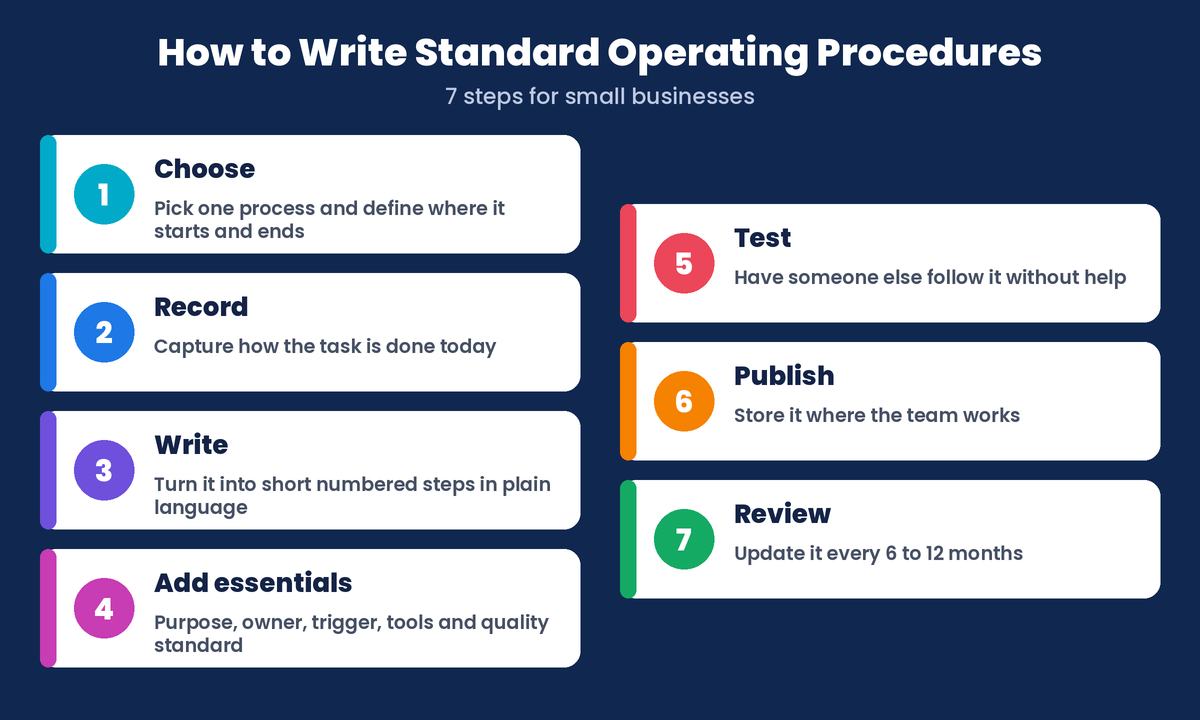
1. Choose one process and define its scope
Pick a single process from your list and decide exactly where it starts and ends. “Customer onboarding” is vague. “From signed contract to the first kick-off call” is clear. Give the SOP a plain name that people will search for, such as “Onboard a new client”.
2. Record how the task is done today
Ask the person who does the task best to walk through it while you take notes, or have them record their screen while they talk through each step. Free screen-recording tools make this easy. Capture the real process, including the small checks and workarounds, not the ideal version you wish you had.
3. Write the steps in plain language
Turn the recording into numbered steps. Start each step with a verb (“Open”, “Check”, “Send”), keep sentences short and put one action in each step. Add screenshots, links to templates and the exact wording for key emails. Write for a capable new starter who has never done the task before.
4. Add the essentials around the steps
Every SOP should include a short header with:
- Purpose: why this process exists and what a good result looks like.
- Owner: the person responsible for keeping the SOP up to date.
- Trigger: what starts the process, such as “a new enquiry arrives in the inbox”.
- Tools and access: the software, logins and templates needed (never write passwords in the SOP itself).
- Time and quality standard: for example, “reply within one working day”.
5. Test it with someone else
Give the draft to a team member who does not normally do the task and ask them to follow it exactly while you watch, without helping. Every time they hesitate or ask a question, the SOP needs a clearer step. This test is the single most important part of the process.
6. Publish it where the team works
Store all your SOPs in one shared, searchable place, such as a shared drive folder, a wiki or a project management tool, and link each SOP from the place the task happens. A procedure nobody can find is a procedure nobody follows. If you already keep your financial files in order, the same approach from my guide to business record keeping works well for SOPs. Keep access controlled if an SOP touches customer data, so it stays in line with GDPR.
7. Review and improve it regularly
Processes change as you add tools, products and people. Put a review date on every SOP, usually every six or twelve months, and ask the team to flag anything out of date. Treat SOPs as living documents, not a one-off project.
A Simple SOP Template You Can Copy
Use this structure for every procedure so the team always knows where to look:
- Title: Onboard a new client
- Purpose: give every new client a smooth, consistent start
- Owner and review date: Operations lead, review every 6 months
- Trigger: contract signed and first invoice paid
- Tools: CRM, email templates, shared client folder
- Steps: numbered actions, each starting with a verb
- Done when: kick-off call booked and welcome pack sent
Many of these steps can later be automated with a CRM or email platform once the process is written down and working. You can compare automation tools in our software reviews, but always document the process first and automate second.
⚠️ Never store passwords in an SOP
List the tools and access a person needs, but keep the actual logins in a password manager or with the owner. SOPs get shared, copied and printed.
Small Business SOP Examples You Can Adapt
Seeing a few real procedures makes it much easier to write your own. The examples below use the template structure from the previous section. They are starting points, so change the trigger, steps and finish line to match how your business actually works.
| SOP | Trigger | Key steps | Done when |
|---|---|---|---|
| Handle a new enquiry | A message arrives by email, form or phone | Log the contact, reply with the standard first response, ask the qualifying questions, book a call if it fits | The lead is logged and has a clear next step |
| Send a quote or proposal | A discovery call is finished | Choose the right package, fill in the proposal template, check the scope and price, send it with a follow-up date | The proposal is sent and the follow-up is in the calendar |
| Invoice and chase payment | Work is delivered or a billing date arrives | Raise the invoice from the template, check the details, send it, follow the reminder schedule for late payments | Payment is received and recorded |
| Weekly KPI update | Every Monday morning | Pull the numbers from each source, update the dashboard, flag anything unusual to the owner | The dashboard is current and issues are flagged |
Notice that each example has a clear trigger and a clear “done when” line. Those two lines stop the most common SOP problem, which is nobody knowing when the task starts or whether it is really finished.
How to Get Your Team to Actually Use SOPs
Writing SOPs is only half the job. The other half is making them part of daily work. Otherwise, they sit in a folder while people keep asking you the same questions.
- Involve the people who do the work. When the team helps write and test a procedure, they trust it and use it.
- Answer questions with a link. When someone asks how to do a documented task, send them the SOP instead of explaining it again. Over time, people check the SOP first.
- Use SOPs in training. New starters, virtual assistants and freelancers should learn each task from its SOP. Their questions show you exactly where it is unclear.
- Make updating easy. Let anyone suggest a change, and let the owner approve it. A procedure that is hard to change soon goes out of date.
- Celebrate fewer mistakes. When an SOP prevents a repeat error or helps someone cover a holiday, point it out. That shows the team why the work matters.
Notes for US, UK and EU Businesses
SOPs are not a legal requirement for most small businesses, but they help you meet duties you already have. If a procedure involves personal data about customers or staff in the UK or EU, the UK GDPR and EU GDPR expect you to handle that data carefully and only for clear purposes. A written SOP that limits who can access customer data, and explains how to handle a deletion request, makes those duties much easier to follow.
In the US there is no single federal privacy law for every business, and the rules depend on your state and sector. If you collect customer data, check which state privacy laws apply to you, and write the relevant steps into your SOPs. In regulated sectors such as food, health or finance, your regulator may expect specific written procedures, so check its guidance before you write your own.
SOP Rollout Checklist
Use this short checklist each time you add a new procedure:
- The process has a clear start, end and plain name.
- The steps come from how the task is really done today.
- Every step starts with a verb and contains one action.
- The header lists the purpose, owner, trigger, tools and quality standard.
- Someone who does not normally do the task has tested it without help.
- It is stored in the shared SOP folder and linked from where the work happens.
- It has a review date in the owner’s calendar.
Common SOP Mistakes to Avoid
- Writing a novel. If an SOP runs to many pages, split it into smaller procedures.
- Documenting the ideal, not the reality. Start with what actually happens, then improve it.
- Skipping the test. A procedure that only makes sense to its author will not survive a busy week.
- No owner. Without one person responsible, SOPs quickly go out of date.
- Treating SOPs as bureaucracy. Explain to the team that SOPs exist to save time and reduce stress, not to police them.
Frequently Asked Questions
What is a standard operating procedure in a small business?
It is a short written guide that explains, step by step, how to complete a recurring task the same way every time, such as onboarding a client, processing an order or sending an invoice.
How long should an SOP be?
Most good SOPs fit on one or two pages. If a procedure needs more, split it into smaller SOPs and link them together.
How often should SOPs be updated?
Review each SOP at least once a year, and every six months for processes that change often. Update it straight away whenever the tools or steps change.
What is the difference between an SOP and a checklist?
A checklist is a short list of items to confirm, while an SOP explains the whole procedure, including its purpose, owner, trigger, tools and steps. Many SOPs include a checklist at the end so the person can confirm nothing was missed.
Who should write an SOP?
The person who does the task best should help write it, because they know the real steps and workarounds. The owner of the SOP then keeps it up to date, and someone who does not normally do the task should test it.
Do I need special software to create SOPs?
No. A shared drive folder, a wiki or your project management tool is enough for most small businesses. What matters is that every SOP lives in one searchable place and links from where the work happens.
Final Thoughts
Standard operating procedures turn the knowledge in your head into a system your team can run without you. Start small: pick one frequent, high-impact process this week, record it, write it in plain steps, test it with someone else and publish it where people work. Repeat that for your top five processes and you will spend less time answering questions and more time growing the business. As your team takes on more, the skills in our guide to entrepreneurial skills will help you lead it. Well-written standard operating procedures are one of the simplest, cheapest ways to build a business that grows beyond you.
Disclosure: some links in this post are affiliate links. If you buy through them, I may earn a commission at no extra cost to you. As an Amazon Associate I earn from qualifying purchases.